Modern AI-powered PDF translation tools process entire documents in seconds while preserving original layouts. Upload your PDF, select the target language, download perfectly translated documents, formatting, tables, images, and structure intact.
The technology delivers remarkable accuracy. The translation services market reached $956 billion in 2025 and projects to hit $1.18 trillion by 2035. Machine translation specifically grew to $1.21 billion in 2025, expanding at 12.8% annually. Document translation services project 7.5% annual growth, reaching $50 billion by 2031.
Professional quality became accessible to everyone. Students, researchers, business professionals, and global companies all translate documents instantly without expensive translation services or language expertise.
This guide examines the 7 best AI PDF translator tools available in 2026.
What Are PDF Translators?
PDF translators automatically convert text in PDF documents from one language to another using artificial intelligence and neural machine translation. The systems read PDF content, detect languages, translate text accurately, and output new PDFs maintaining original formatting.
Traditional PDF translation required multiple steps. Extract text manually. Copy into translation software. Translate sections separately. Rebuild document formatting. Fix broken tables and images. A simple 10-page document consumed hours.
AI PDF translators automate everything. Upload your PDF file. The AI extracts all text using OCR (Optical Character Recognition) if scanned. Neural networks translate content, maintaining context and meaning. The system rebuilds formatting automatically. Download completed translations in seconds.
These tools handle complex documents. Academic research papers with citations translate accurately. Legal contracts maintain precise terminology. Technical manuals preserve specialized vocabulary. Business reports keep tables and charts intact. Scanned documents convert and translate simultaneously.
The technology supports 100+ languages. Translate between major languages like English, Spanish, Chinese, Japanese, and Arabic. Handle lesser-known languages when needed. Multiple simultaneous translations create multilingual versions efficiently.
Why PDF Translation Matters in 2026
Market growth reveals genuine business transformation. Translation services reached $956 billion in 2025, projecting to $1.18 trillion by 2035 with 2.1% annual growth. Machine translation hit $1.21 billion, growing at 12.8% annually to $4.04 billion by 2035.
Global business demands drive adoption. Some 76% of online buyers prefer purchasing products with information in their native language. Companies expanding internationally require translated documentation for compliance, customer communication, and market penetration.
Academic research benefits enormously. Researchers access foreign language studies instantly. PhD students translate source materials quickly. International collaboration accelerates when language barriers disappear.
Cost reduction proves substantial. Professional human translation averages 30% higher than AI-based tools. AI translation reduces turnaround time by 90% while maintaining high accuracy. Businesses save thousands on document localization.
The COVID-19 pandemic accelerated adoption significantly. Remote work increased demand for digital translation. Online education requires multilingual materials. Healthcare needs urgent translated communications. The market adapted rapidly to global digital needs.
The 7 Best AI PDF Translators
1. DeepL PDF Translator
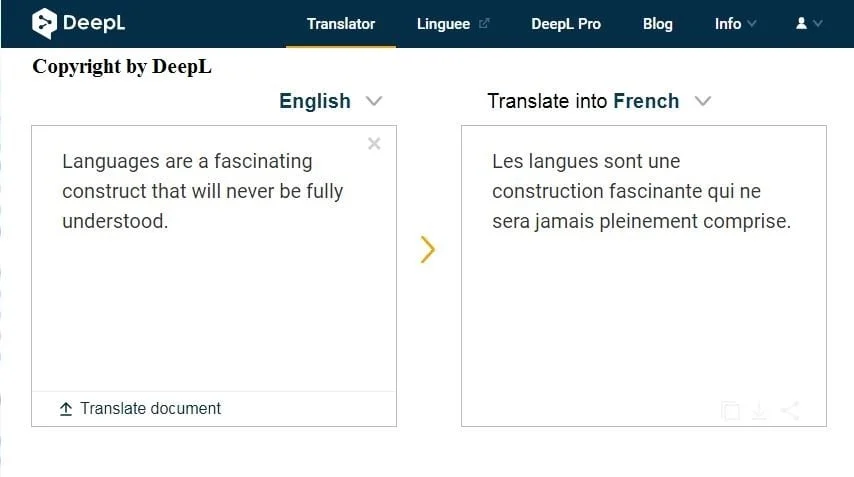
DeepL delivers industry-leading translation quality with its next-generation PDF translator powered by advanced neural networks.
Key Features:
- Captures meaning across larger text sections
- Preserves formatting and design perfectly
- Custom glossaries for precise terminology
- Bulk translation into multiple languages
- OneDrive integration
- API support
- Desktop and mobile apps
- Scanned document support (via apps)
Why It Excels:
The translation quality consistently surpasses competitors. DeepL’s neural networks understand context across paragraphs rather than translating sentence-by-sentence. The results read naturally with proper idioms and cultural context.
Custom glossaries ensure specialized terminology translates correctly. Upload industry-specific terms, brand names, or technical vocabulary. The AI applies your preferences consistently throughout documents.
Formatting preservation handles complex layouts. Tables remain intact. Charts maintain positioning. Headers and footers survive translation. Multi-column layouts rebuild correctly.
Bulk processing accelerates large projects. Translate multiple PDFs simultaneously into several languages. Enterprise teams localize entire documentation sets efficiently.
Best For: Professional translation quality, business documents, technical materials, bulk processing
Pricing: Free tier available, Pro plans for advanced features
Platform: Web-based, desktop apps, mobile apps, API
2. NoteGPT PDF Translator
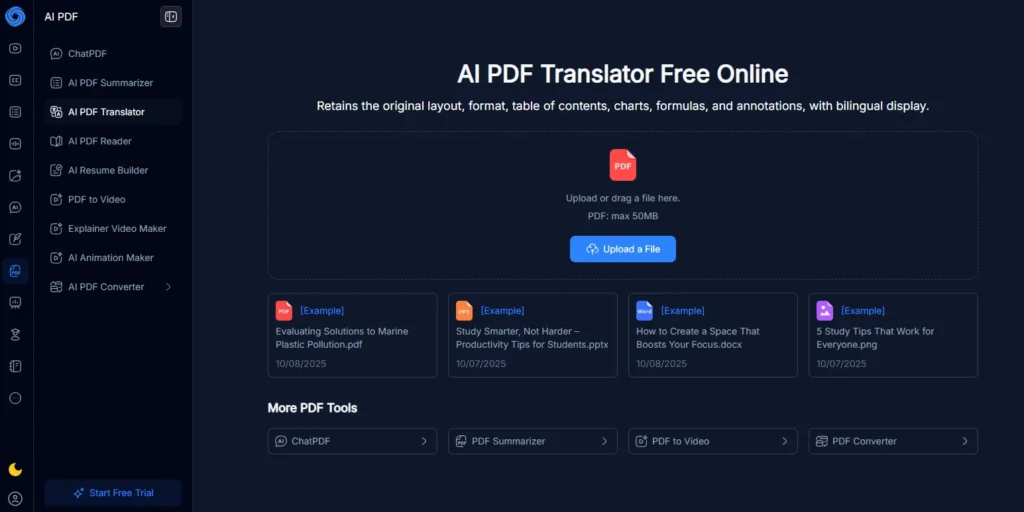
NoteGPT provides completely free PDF translation with no ads, no sign-up requirements, and unlimited usage.
Key Features:
- Free unlimited translations
- No ads or watermarks
- No sign-up required
- 100+ language support
- Maintains original layout
- Fast processing (seconds)
- Large file support
- TLS encryption (ISO/IEC, GDPR compliant)
Why It Excels:
The truly free model removes all barriers. No credit cards, no accounts, no hidden limitations. Upload PDFs directly in the browser and download translations immediately.
Processing speed impresses consistently. Large academic papers, technical reports, and lengthy contracts all translate in seconds. The AI handles volume efficiently without degrading quality.
Security features protect sensitive documents. TLS encryption secures uploads and processing. Compliance with ISO/IEC and GDPR standards ensures data privacy. Documents don’t persist on servers after translation.
Format preservation maintains professional appearance. Academic papers keep citations intact. Business contracts preserve legal formatting. Technical manuals maintain diagrams and specifications.
Best For: Budget users, unlimited free translation, academic research, quick translations
Pricing: Completely free
Platform: Web-based
3. Smartcat PDF Translator
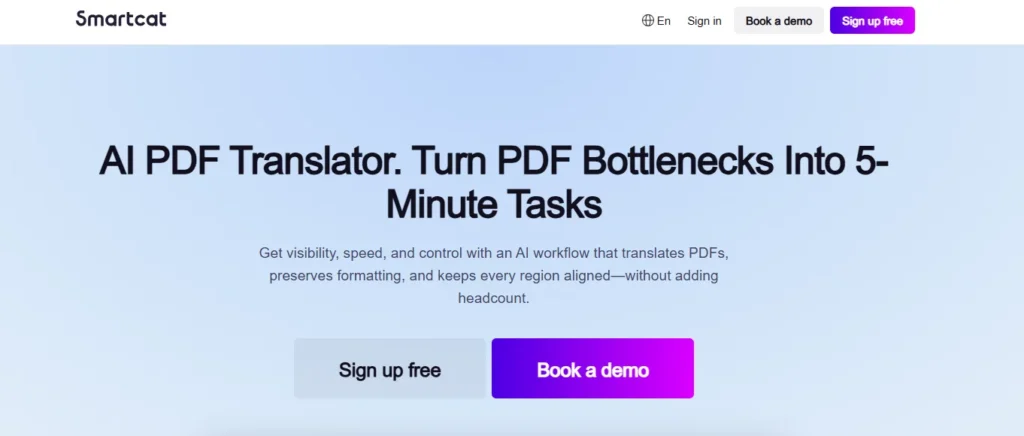
Smartcat delivers enterprise-grade PDF translation with 95% accuracy, unlimited collaboration seats, and AI-powered workflow automation.
Key Features:
- 95% translation accuracy
- 280+ language support
- Unlimited team seats
- Translation memory and glossaries
- OCR for scanned documents
- 500,000+ vetted linguists marketplace
- API integration
- Real-time collaboration
Why It Excels:
The enterprise focus addresses business-scale needs. Unlimited seats enable entire teams to collaborate without per-user costs. Organizations scale translation operations freely.
Translation memory improves over time. The AI learns from every edit, updating memories and glossaries automatically. Accuracy and consistency increase with usage.
Human expert review combines with AI. Access marketplace linguists for specialized review. The hybrid approach delivers machine speed with human precision when critical accuracy matters.
OCR capabilities handle scanned documents. Extract text from image-based PDFs automatically. Review the extracted text before translation, ensuring accuracy.
Best For: Enterprise teams, large-scale projects, scanned documents, hybrid AI-human workflows
Pricing: 14-day free trial, enterprise pricing available
Platform: Web-based, API
4. HiPDF AI Translator
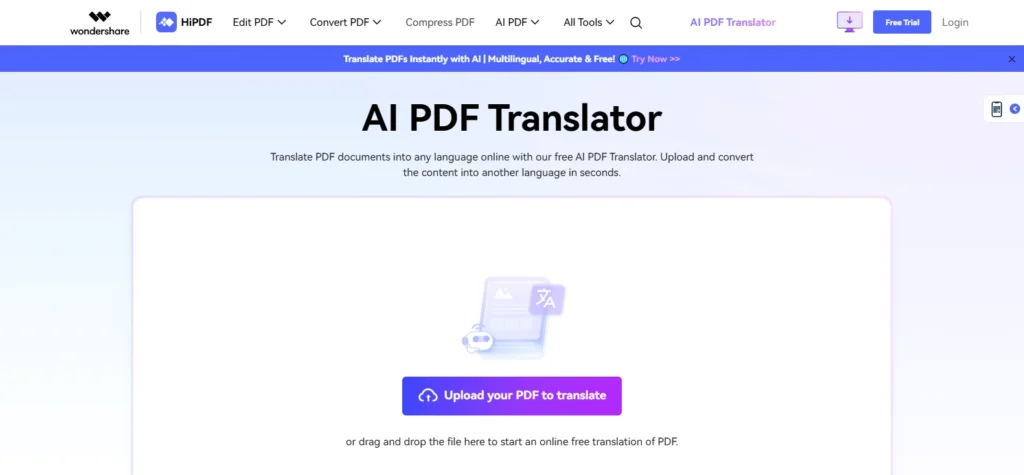
HiPDF specializes in translating academic papers, research articles, and educational materials with precise terminology handling.
Key Features:
- 50+ language support
- Academic paper optimization
- Journal and article translation
- Resume translation
- Large PDF support
- Form and contract handling
- Simple 3-step process
- Free translations available
Why It Excels:
The academic focus optimizes for research materials. Citations translate correctly. References maintain formatting. Technical terminology receives appropriate treatment. Complex equations and formulas survive translation.
Resume translation helps with global career opportunities. Convert CVs into 50+ languages with one click. Professional formatting preserves appearance for international applications.
The simplified workflow removes complexity. Upload PDF, select language, and click translate. Three steps produce complete translations. No confusing menus or unnecessary options.
Large file handling accommodates lengthy documents. Books, dissertations, and comprehensive reports all process successfully. Size limitations don’t restrict academic use.
Best For: Academic research, student papers, educational materials, resume translation
Pricing: Free tier available, paid for advanced features
Platform: Web-based
5. Smallpdf Translator
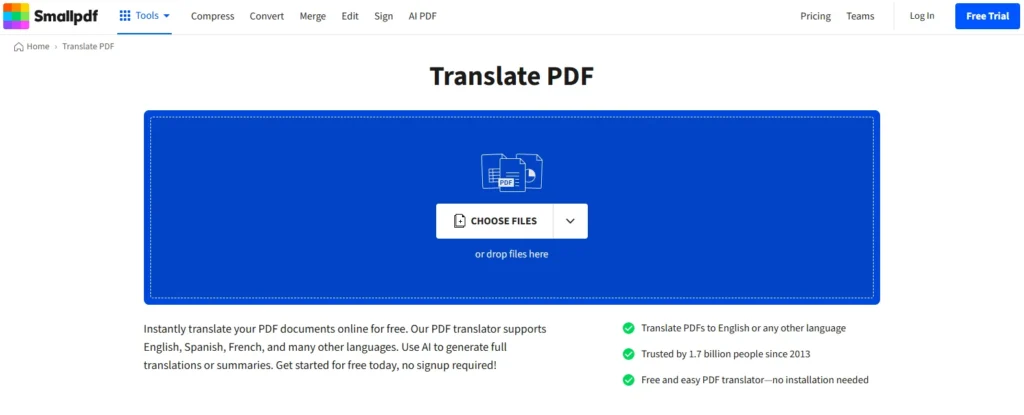
Smallpdf combines PDF translation with AI chat for summaries, insights, and detailed explanations in translated languages.
Key Features:
- Full translation or summary mode
- Built-in AI chat tool
- OCR for scanned PDFs
- No software installation
- No signup required
- Large file support
- 30+ PDF tools included
- Unlimited processing (paid plans)
Why It Excels:
The AI chat integration adds unique value. Ask questions about translated documents. Request summaries in the target language. Get detailed explanations of complex sections. The tool becomes a multilingual insight generator.
Summary mode accelerates comprehension. Long documents translate and summarize simultaneously. Understand key points quickly without reading the entire translated texts.
OCR technology handles scanned documents and images. Extract text from PDFs created by scanning. Translate images containing text. JPG and PNG files work seamlessly.
The comprehensive PDF toolkit provides complete workflows. Translate, then compress, edit, merge, or convert documents. Thirty tools handle every PDF need.
Best For: Document summaries, AI chat insights, scanned PDFs, comprehensive PDF workflows
Pricing: Free trial (7 days unlimited), paid plans for unlimited access
Platform: Web-based
6. WPS Office PDF Translator
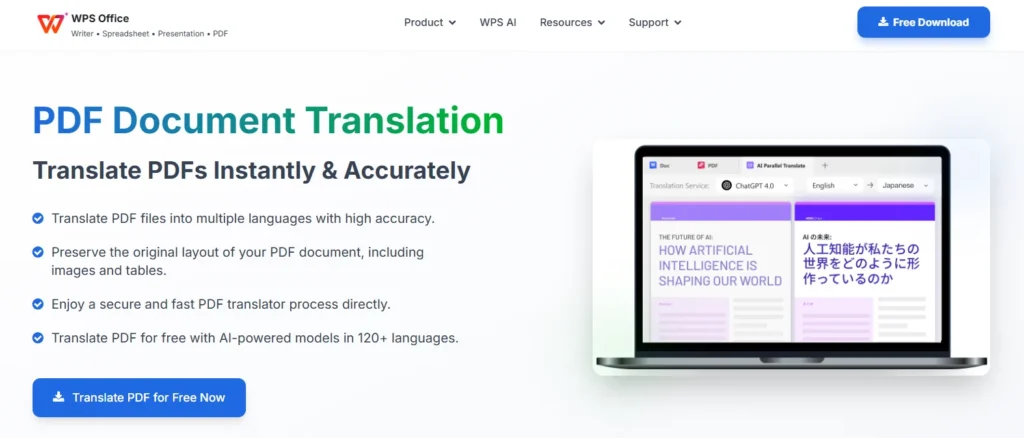
WPS Office provides parallel translation viewing, both original and translated text simultaneously, for comparison and editing.
Key Features:
- Parallel translate feature
- Side-by-side viewing
- Post-translation editing
- Bilingual or translated-only output
- PDF editing tools integrated
- Preserves formatting
- Fast processing
- Desktop application
Why It Excels:
The parallel viewing enables perfect comparison. Original text and translation appear side-by-side. Verify accuracy instantly. Identify issues immediately. Make corrections confidently.
Post-translational editing provides complete control. Fix terminology. Adjust phrasing. Polish results using integrated PDF editing tools. The workflow keeps everything in one application.
Output flexibility serves different needs. Export translated version only. Keep bilingual documents for reference. Choose formats matching intended use.
The desktop application enables offline work. Process sensitive documents locally without internet uploads. Work anywhere without connectivity concerns.
Best For: Translation verification, editing workflows, bilingual documents, offline processing
Pricing: Free tier available, paid subscriptions for advanced features
Platform: Desktop (Windows, Mac), mobile apps
7. Canva PDF Translator

Canva integrates PDF translation directly into its design platform, enabling complete localization workflows.
Key Features:
- 134 language support
- Design tools integration
- Template library access
- Font and formatting changes
- Image and graph imports
- Duplicate or replace pages
- One free translation
- Unlimited with Pro subscription
Why It Excels:
The design integration creates complete localization. Translate PDFs, then customize fonts for the target language. Import culturally appropriate images. Adjust layouts for different text lengths. Create polished multilingual materials.
Template library accelerates production. Translate content, then apply to professionally designed layouts. Create brochures, presentations, and marketing materials in multiple languages.
Page management flexibility handles iterations. Duplicate pages compare versions. Replace pages, update content. Manage multilingual documents efficiently.
The platform handles various projects. Translate newsletters, video scripts, proposals, brochures, and greeting cards. Design and localization combine seamlessly.
Best For: Marketing materials, design projects, multilingual branding, visual content
Pricing: One free translation, Pro from $12.99/month for unlimited
Platform: Web-based, mobile apps
How to Choose the Right PDF Translator
Different needs require different tools:
- For Best Quality: Choose DeepL. Industry-leading neural networks deliver natural, contextual translations.
- For Free Access: Pick NoteGPT. Unlimited free translations without signup or limitations.
- For Enterprise: Use Smartcat. Unlimited seats, translation memory, and hybrid AI-human workflows.
- For Academic Use: Select HiPDF. Optimized for research papers, journals, and educational materials.
- For AI Insights: Choose Smallpdf. AI chat provides summaries and explanations in translated languages.
- For Verification: Use WPS Office. Side-by-side viewing enables comparison and editing.
- For Design: Pick Canva. Design tools create polished multilingual marketing materials.
Professional Translation Tips
- Choose Source and Target Correctly: Verify language selection before processing. Incorrect language pairs produce nonsense translations.
- Review Specialized Terminology: AI handles general content well but may miss industry-specific terms. Review technical vocabulary carefully.
- Check Formatting: Complex layouts occasionally require minor adjustments. Verify tables, charts, and multi-column sections.
- Use Glossaries When Available: Tools supporting custom glossaries ensure consistent specialized terminology. Upload term lists for better accuracy.
- Combine AI with Human Review: Critical documents benefit from expert review after AI translation. The hybrid approach delivers speed with precision.
Common Translation Mistakes
- Skipping Proofreading: AI misses nuances and regional phrases sometimes. Always proofread outputs for accuracy.
- Processing Large Documents Entirely: Translating huge PDFs at once may overwhelm tools. Break extremely large documents into sections.
- Ignoring Context: AI may translate idioms literally. Review culturally specific expressions and adjust appropriately.
- Assuming Perfect Formatting: Complex layouts may need minor fixes. Budget time for formatting verification.
- Forgetting Scanned Document Limitations: OCR introduces potential errors. Review text extraction carefully before translation.
The Technology Behind PDF Translation
Modern PDF translators combine multiple technologies:
- Neural Machine Translation (NMT) uses deep learning neural networks trained on millions of bilingual texts. The systems learn language patterns, context, and natural phrasing.
- Optical Character Recognition (OCR) extracts text from scanned PDFs and images. The technology recognizes characters in various fonts, sizes, and qualities.
- Natural Language Processing (NLP) understands sentence structure, grammar, and meaning. The AI maintains context across paragraphs, producing coherent translations.
- Formatting Engines rebuild document layouts automatically. Tables, charts, images, headers, and complex structures all reposition correctly in translated versions.
All processing happens in cloud infrastructure, delivering results in seconds regardless of local computer capabilities.
Market Growth
The translation services market reached $956 billion in 2025, projecting to $1.18 trillion by 2035 with 2.1% annual growth. Machine translation hit $1.21 billion in 2025, expanding at 12.8% annually to $4.04 billion by 2035. Document translation services project 7.5% growth, reaching $50 billion by 2031.
Key trends driving expansion include globalization requiring multilingual documentation, AI accuracy improvements matching human translation, cost reduction making translation accessible, remote work increasing digital translation demand, and e-commerce requiring product information in local languages.
Real-World Applications
- Academic Research: Students and researchers access foreign language studies instantly. International collaboration accelerates when language barriers disappear.
- Business Contracts: Legal teams translate agreements, NDAs, and contracts quickly. International deals proceed faster with immediate document understanding.
- Technical Documentation: Engineers access foreign language manuals, specifications, and research papers. Global knowledge sharing accelerates innovation.
- Medical Records: Healthcare providers translate patient records, research, and treatment protocols. International medical collaboration improves patient care.
- Marketing Materials: Companies localize brochures, presentations, and promotional content. Global campaigns launch simultaneously in multiple markets.
Privacy and Security Considerations
- Data Protection: Most translators encrypt uploads using TLS or similar protocols. Verify security standards before processing sensitive documents.
- Document Retention: Free tools may store documents temporarily. Enterprise solutions typically delete files immediately after processing. Check retention policies.
- GDPR Compliance: European users need GDPR-compliant tools. NoteGPT, Smartcat, and DeepL explicitly comply with data protection regulations.
- Offline Options: WPS Office enables local processing. Sensitive legal, medical, or proprietary documents benefit from offline translation, avoiding cloud uploads.
- Access Controls: Enterprise tools provide user permissions and audit trails. Track who translates what documents, maintaining accountability.
Final Thoughts
AI PDF translators transformed document translation from expensive, slow processes to instant, accessible operations. Professional results requiring days and hundreds of dollars now generate in seconds for free.
The 7 tools covered handle every scenario. DeepL delivers superior quality. NoteGPT offers unlimited free access. Smartcat serves enterprises. HiPDF optimizes academics. Smallpdf provides AI chat insights. WPS Office enables verification. Canva integrates design workflows.
Start immediately with free options. Upload a PDF to NoteGPT or try DeepL’s free tier. Select target language. Download the translated document. Your research, business, and communication deserve language accessibility.
AI PDF translation became accessible to everyone. These tools deliver it instantly and affordably.