

The art world has changed tremendously in the last year. Artists who used to take days to scribble ideas can now do professional-grade drawings in minutes. This revolution has nothing to do with substituting human creativity but enhancing it through smart tools. Based on recent industry statistics, more than 70% of creative professionals include AI applications within their working processes today. The AI illustration generator industry has witnessed the most aggressive adoption with AI-generated illustrations going mainstream in advertising, publishing, and digital media.
These tools not only accelerate work. They unlock creative avenues that were not possible earlier, enabling designers to rapidly explore dozens of visual directions and experiment with ideas that would be too cumbersome to draw by hand.
What Actually Makes an AI Illustration Generator Worth Using
The market is flooded with AI illustration tools, but most fall short of professional standards. Quality output remains the primary differentiator between tools that add value and those that waste time. Resolution and detail matter immensely. Illustrations need to work across different sizes and formats without losing clarity. The best generators produce images with sufficient resolution for both digital displays and print materials.
The critical factors to evaluate include:
- Output quality matches professional illustration standards without extensive manual editing
- Style consistency across multiple generations using similar prompts
- Speed of generation that keeps creative workflows moving efficiently
- Interface design that doesn’t require technical expertise to operate
- Prompt interpretation accuracy that understands detailed creative descriptions
Understanding these factors helps filter through marketing hype to identify tools that genuinely improve creative output. Professional designers can’t afford platforms that produce unreliable results or require hours of tweaking per image.
You can also use tools to create images and logos for your brand. For more details read: Top AI Logo Generators
1. Midjourney
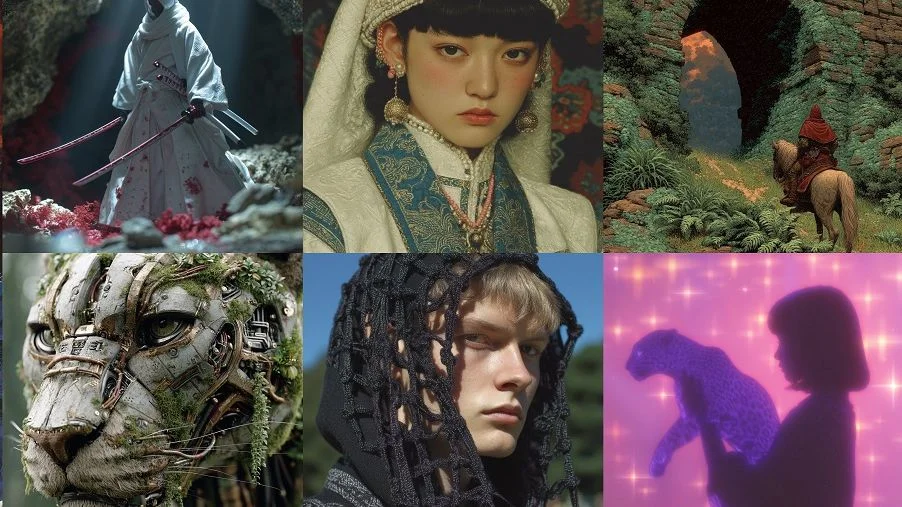
Midjourney has set the standard for AI-generated illustration quality. The site consistently delivers images that astound even veteran designers with their artistic level and detail. The AI illustration generator runs on Discord, which at first blush appears unorthodox. But by doing so, it builds a thriving community where artists exchange tricks, prompts, and inspiration. The community feature brings added value beyond the software.
Version 6 of Midjourney demonstrates significant enhancements in grasping intricate prompts. The technology now accurately interprets artistic terminology and makes use of style references with stunning consistency. Character creation has become significantly enhanced and is now suitable for those projects that need the same characters to appear on multiple illustrations.
Key capabilities that set Midjourney apart:
- Exceptional detail rendering in both organic and geometric elements
- Strong grasp of artistic movements and historical styles
- Accurate interpretation of composition and lighting descriptions
- Regular updates that continuously enhance output quality
- Community-driven learning through shared prompt strategies
The subscription model provides different tiers based on generation speed and commercial usage needs. Professional illustrators working on client projects typically find the investment justified by time savings and output quality.
Pros:
- Exceptional artistic quality across diverse styles
- Strong community sharing prompt engineering techniques
- Regular updates consistently improving capabilities
- Reliable results with detailed creative prompts
- Excellent for exploring visual concepts quickly
Cons:
- Discord interface feels awkward for traditional designers
- No free tier for testing before subscription commitment
- Limited direct editing capabilities within platform
- Text rendering remains problematic
- Queue times during peak usage periods
2. DALL-E 3
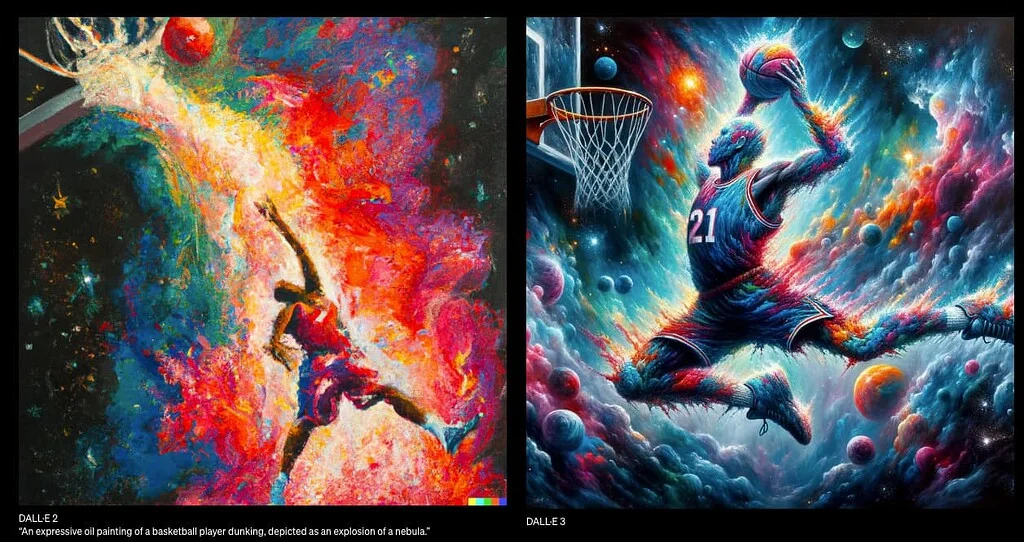
OpenAI’s DALL-E 3 is a huge improvement over earlier versions. The system now rejects requests to copy the styles of living artists, responding to the ethical issues that plagued earlier AI generators. This responsible behavior makes it more appropriate for business use. The integration with ChatGPT Plus provides a natural-feeling conversational workflow. Users tell what they need, get an image, and then edit by conversation instead of rewriting the whole prompt. This back-and-forth process mirrors how designers work with clients.
Text rendering inside illustrations is much better. Although not ideal, DALL-E 3 has superior typography compared to the majority of alternatives. This feature is helpful when generating social media graphics, infographics, and marketing collateral that involve text elements.
Notable features driving professional adoption:
- Conversational refinement through ChatGPT integration
- Enhanced safety features and ethical content policies
- Improved understanding of nuanced creative directions
- Better consistency across image variations
- Native integration with Microsoft design tools through Bing
This AI Illustration generator tool excels at understanding context and subtext in prompts. Describing not just what you want but why often yields more relevant results than purely visual descriptions.
Pros:
- Conversational refinement through ChatGPT integration
- Superior text rendering compared to competitors
- Strong safety features preventing inappropriate content
- Intuitive interface requiring minimal learning
- Good balance of quality and ease of use
Cons:
- Requires ChatGPT Plus subscription for full access
- Less artistic sophistication than Midjourney
- Limited style control compared to specialized tools
- Character consistency across multiple images needs improvement
- Fewer customization options than technical platforms
3. Adobe Firefly
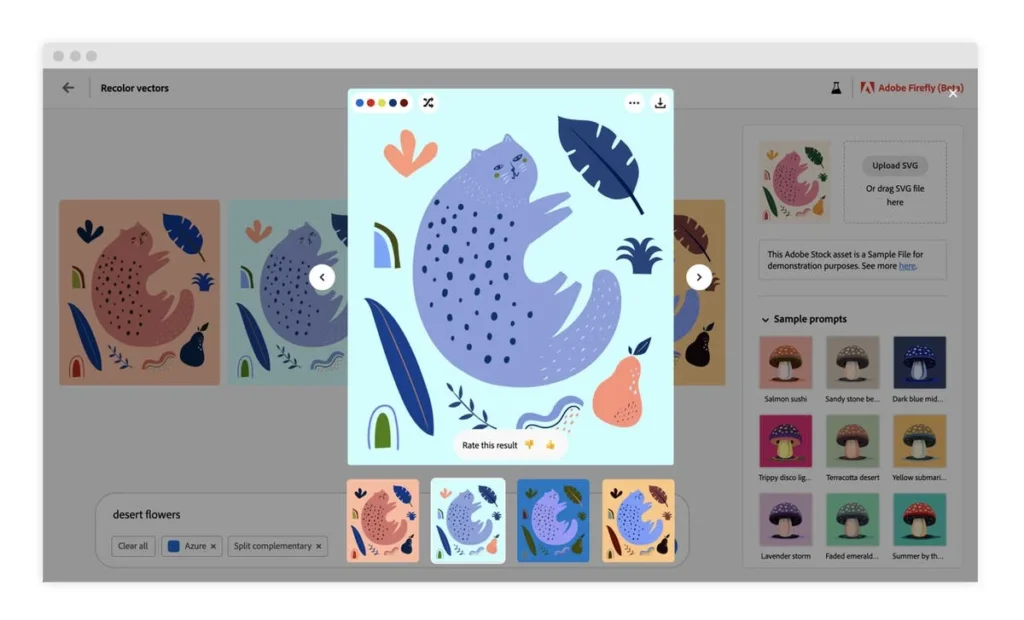
Adobe’s entry into AI drawing with Firefly shifts the calculation for business creative teams. The AI illustration generator platform seamlessly integrates into Creative Cloud apps, becoming a natural fit within existing design pipelines. The major benefit is legal security. Firefly only trained on Adobe Stock photos, openly licensed assets, and public domain items. Businesses wary of copyright infringement can utilize Firefly-generated work without the threat of legal repercussions as with other AI applications.
Adobe integration with Illustrator and Photoshop ensures that designers do not have to start learning new interfaces or export processes. Create illustrations within familiar tools first, then fine-tune with typical Adobe functionality. Integration cuts through friction that so often hinders tool adoption.
What makes Firefly particularly valuable for businesses:
- Commercially safe output trained on licensed content only
- Native integration eliminating export and import steps
- Consistent Adobe interface reducing training requirements
- Vector output options for scalable illustrations
- Team features supporting collaborative creative workflows
Adobe continues expanding Firefly’s capabilities based on user feedback. Recent updates added more style options and improved prompt understanding, bringing it closer to competitor quality levels.
Pros:
- Legally safe for commercial applications
- Seamless Creative Cloud integration
- No learning curve for Adobe users
- Vector output options for scalable illustrations
- Team collaboration features built-in
Cons:
- Output quality still trailing Midjourney and DALL-E 3
- Limited style variety compared to competitors
- Requires Creative Cloud subscription
- Newer platform with evolving capabilities
- Less community support than established tools
4. Leonardo AI
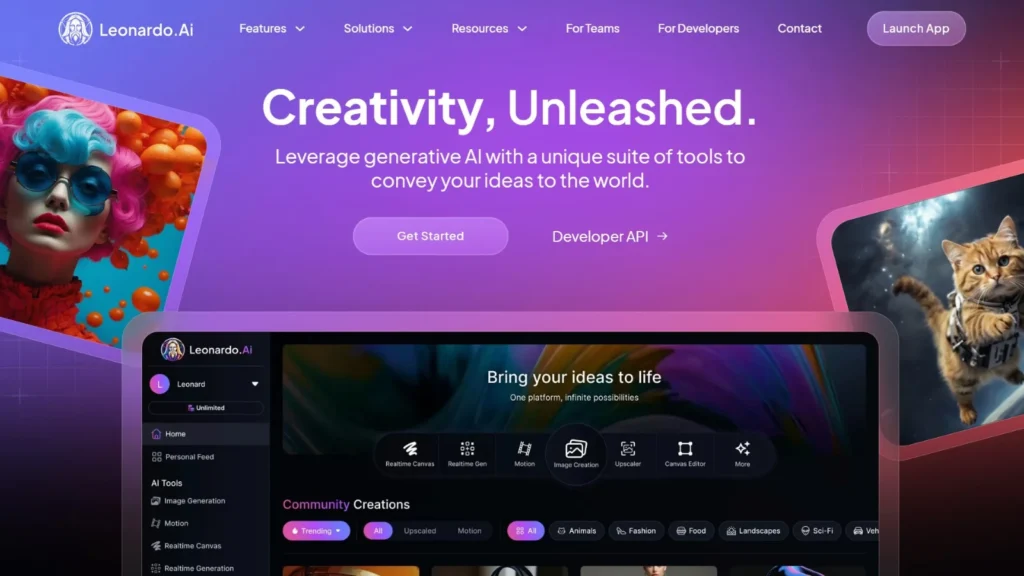
Leonardo AI established its niche by breaking one of AI illustration’s greatest challenges: consistent characters in multiple images. This feature becomes crucial for children’s books, comics, and any storybook work that needs recognizable characters. The platform supports vast libraries of optimized models with distinct illustration styles. Require anime characters? Watercolors for children’s books? Technical drawings? Leonardo has specialized models trained for each style.
Canvas mode blends AI generation with manual editing capabilities. This blended method is ideal for illustrators who desire AI help without abandoning total creative input. Use prompts to generate baseline illustrations, then enhance details with normal digital painting tools.
Core capabilities that distinguish Leonardo:
- Consistent character generation across multiple scenes and angles
- Extensive library of style-specific models for targeted outputs
- Canvas interface blending AI generation with manual editing
- Community-created models shared across the platform
- Fine-tuning options for creating custom illustration styles
The token-based system provides flexibility in usage patterns. Artists working on major projects can scale up generation volume, while occasional users stay within free tier limits.
Pros:
- Best character consistency across multiple images
- Extensive style-specific model library
- Canvas mode for hybrid AI and manual work
- Strong community-created resources
- Flexible token-based usage system
Cons:
- Interface complexity can overwhelm beginners
- Free tier limits constrain serious projects
- Quality varies significantly between models
- Steeper learning curve than simplified platforms
- Some models show inconsistent results
5. Stable Diffusion
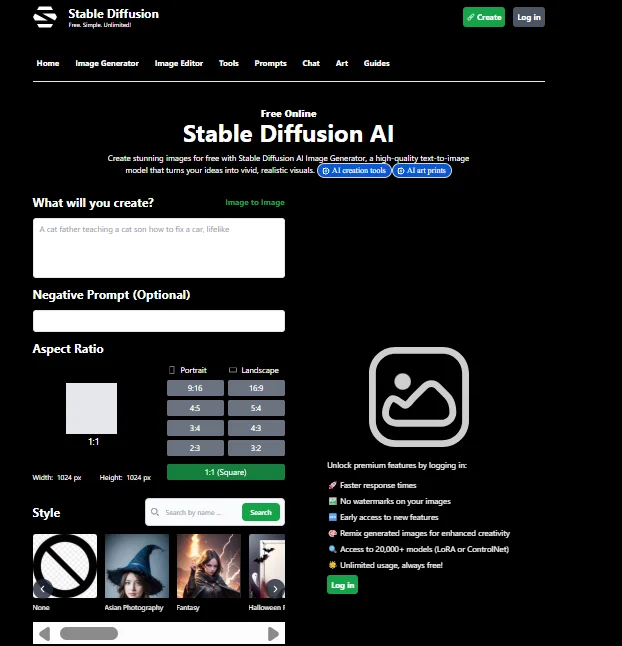
Stable Diffusion represents the open-source alternative in AI illustration. Unlike proprietary platforms, anyone can download and run Stable Diffusion locally with appropriate hardware, or access it through various web interfaces. The open nature sparked an ecosystem of custom models trained for specific illustration needs. Communities have created specialized versions optimized for anime, fantasy art, photorealism, technical illustration, and countless other styles. This flexibility comes at the cost of a steeper learning curve.
Technical users appreciate complete control over generation parameters. Adjust sampling methods, step counts, guidance scales, and other technical settings that proprietary platforms hide. This granular control enables outputs matching very specific requirements.
Key advantages for committed users:
- Completely free core model with no usage restrictions
- Runs locally providing unlimited generations without costs
- Massive library of community-created custom models
- Full parameter control for technically-minded users
- Active development community constantly improving capabilities
Less technical creators can access Stable Diffusion through simplified interfaces like DreamStudio, which provides user-friendly access to the underlying technology without requiring technical expertise.
Pros:
- Completely free with no usage restrictions
- Unlimited customization and control
- Massive community-created model library
- Runs locally for complete privacy
- Active development and improvement
Cons:
- Steep technical learning curve
- Requires powerful hardware for local use
- Complex interface intimidates non-technical users
- Quality depends heavily on model selection
- Time-consuming setup and configuration
6. Canva AI
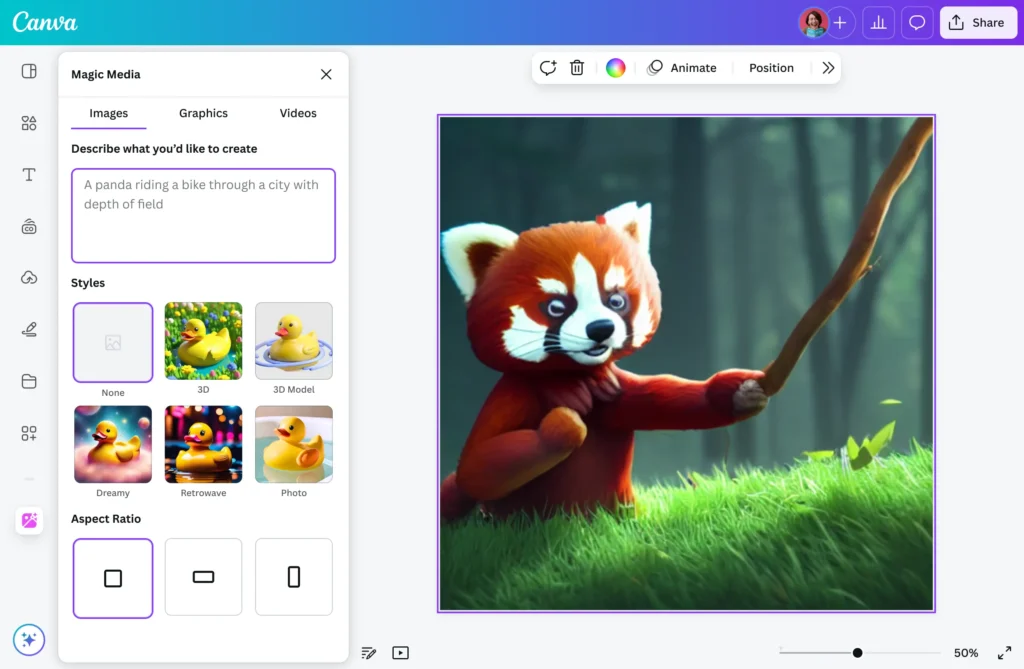
Canva’s AI Illustration generator feature targets their core audience: non-professional designers who need quick visual content. The tool prioritizes simplicity over advanced features, making it accessible to users without design backgrounds. Integration directly into the Canva platform means illustrations can be generated within ongoing design projects. Create a social media graphic, realize you need a custom illustration, generate it without leaving the project, and continue designing.
The AI illustration generator tool works best for simpler illustration needs. Expect solid results for social media graphics, presentation visuals, and basic marketing materials. Complex artistic requirements often exceed Canva AI’s capabilities, but that’s not its target use case.
Why Canva AI succeeds for beginners:
- Minimal learning curve with intuitive interface design
- Direct integration into existing design projects
- Preset styles matching common content needs
- Automatic sizing for different social platforms
- Template integration for faster project completion
The subscription model includes AI generation as part of Canva Pro. Users already paying for Canva access get illustration generation without additional tools or learning curves.
Pros:
- Extremely simple for non-designers
- Integrated directly into design workflow
- No separate tool learning required
- Works well for simple illustration needs
- Fast generation with minimal setup
Cons:
- Limited output quality compared to specialized tools
- Fewer style options and customization
- Not suitable for complex illustration requirements
- Lower resolution than professional platforms
- Restricted creative control
Feature Comparison of AI Illustration Generators
| Feature | Midjourney | DALL-E 3 | Adobe Firefly | Leonardo AI | Stable Diffusion | Canva AI |
| Output Quality | Excellent | Excellent | Very Good | Excellent | Excellent | Good |
| Learning Curve | Moderate | Low | Low | Moderate | High | Very Low |
| Style Variety | Extensive | Extensive | Good | Extensive | Unlimited | Limited |
| Character Consistency | Good | Moderate | Moderate | Excellent | Good | Limited |
| Text Rendering | Poor | Good | Moderate | Poor | Poor | Moderate |
| Commercial Use | Subscription Required | Subscription Required | Included | Subscription Required | Free | Subscription Required |
| Integration | Discord | ChatGPT | Adobe Suite | Web Platform | Various | Canva Platform |
| Speed | Fast | Fast | Fast | Fast | Variable | Fast |
| Customization | Moderate | Low | Low | High | Very High | Very Low |
Free vs. Paid AI Illustration Generator Options
The free or paid choice of AI illustration generator has a major influence upon workflow effectiveness and output quality. Some sites provide genuine free access, each with varying restrictions on practical use.Bing Image Creator offers free use of DALL-E 3 technology with daily limits. This is the optimum free choice for high-quality illustrations without subscription plans. The quality is on a par with paid DALL-E 3 access and is therefore perfect for infrequent users.
Craiyon (previously DALL-E mini) provides fully unlimited free generations. Quality is not up to premium tools, but it does the job well enough for rough ideas and brainstorming. Generation is slower, and outputs will usually require a lot of editing.
Leonardo AI offers a free plan with daily token allotments. The tokens are replenished each day, enabling uniform access for users who are willing to operate under generation caps. The method is suitable for understanding the platform prior to subscribing to paid options.
Key considerations when evaluating free options:
- Daily generation limits may disrupt workflow for intensive projects
- Lower resolution outputs may not work for professional applications
- Longer queue times during peak usage periods
- Restricted commercial usage rights on free tiers
- Limited access to advanced features and customization
Professional illustrators working on client projects typically justify paid subscriptions through time savings and consistent quality. Hobbyists and students benefit more from free options that provide unlimited experimentation without financial commitment.
For more details read the blog on : 9 Free AI Art Generators in 2026
Specialized Use Case: Book Illustration Projects
Book illustration represents one of the most demanding applications for AI generators. Maintaining visual consistency across dozens or hundreds of images challenges even the most advanced tools. Character consistency proves critical for narrative projects. Main characters must remain recognizable throughout the book, with consistent facial features, body proportions, and characteristic details. This requirement eliminates many AI tools from consideration.
Leonardo AI and Midjourney handle character consistency better than alternatives. Both platforms offer features specifically designed for maintaining character appearances across multiple generations. Create detailed character reference sheets, then include them in subsequent prompts.
Steps for achieving consistent book illustrations:
- Generate comprehensive character reference sheets showing multiple angles and expressions
- Develop detailed style guides describing artistic approach and color palettes
- Use identical descriptive language across all character-related prompts
- Generate multiple variations and select the most consistent results
- Apply manual editing to address minor inconsistencies between illustrations
- Maintain a library of successful prompts for each character and setting
Legal considerations matter tremendously for published books. Authors using AI illustrations must verify commercial usage rights and understand attribution requirements. Adobe Firefly offers the clearest legal standing because of its training data sources. The hybrid approach works best for book projects. Use AI to generate initial concepts and base illustrations, then refine through manual editing. This combines AI efficiency with human artistic judgment.
Maximizing Results Through Effective Prompt Engineering
Getting exceptional results from AI generators requires understanding how these systems interpret instructions. The difference between mediocre and stunning outputs often comes down to prompt engineering skills rather than tool limitations. Specificity dramatically improves results. Instead of “a cat in a garden,” describe “a fluffy orange tabby cat sitting among purple lavender flowers in an English cottage garden, watercolor illustration style, soft golden afternoon lighting, shallow depth of field.”
Structure prompts logically. Start with the main subject, add environmental context, specify artistic style, include lighting and mood descriptors, then mention technical details. This organization helps AI systems parse instructions effectively.
Effective prompt strategies include:
- Explicitly describing desired artistic style using specific terminology
- Specifying lighting conditions and atmospheric mood
- Including precise composition details and framing
- Mentioning specific artists or art movements for style reference
- Adding technical parameters like detail level and resolution
- Using negative prompts to exclude unwanted elements
Negative prompts tell AI what to avoid. Many platforms support negative prompting where you specify unwanted elements like “no hands visible, no text, no watermarks, no blurry areas.” This prevents common issues before they appear.
Iteration improves outcomes consistently. Rarely does the first generated image perfectly match creative vision. Generate multiple variations, identify successful elements, then refine prompts to emphasize what works while eliminating problems.
Frequently Asked Questions
Can I use AI-generated illustrations commercially?
Commercial usage depends on the specific tool and subscription level. Adobe Firefly offers the clearest commercial rights because it’s trained exclusively on licensed content. Most platforms allow commercial use with paid subscriptions, but free tiers often restrict business applications. Always review terms of service carefully before using AI illustrations in commercial projects or client work. For published books or products, verify that your subscription explicitly permits commercial usage.
How do I maintain consistent character designs across multiple AI illustrations?
Character consistency requires careful prompt management and choosing the right tools. Leonardo AI specializes in consistent character generation and provides features specifically for this purpose. Create detailed character reference sheets showing multiple angles and expressions, then include these references in subsequent prompts. Use identical descriptive language for the character across all prompts.
Are free AI illustration generators sufficient for professional work?
Free tools can produce impressive results but usually have significant limitations. Bing Image Creator provides free access to DALL-E 3 technology, making it the best free option for professional-quality illustrations. However, daily generation limits may disrupt workflow for intensive projects.
What’s the learning curve for someone new to AI illustration generators?
Learning curves vary dramatically between platforms. Canva AI and DALL-E 3 require minimal learning, with intuitive interfaces that non-designers can use immediately. Midjourney and Leonardo AI require moderate time investment to understand prompt engineering and platform features.
How do AI illustration generators handle different artistic styles?
Most advanced AI generators can replicate a wide range of artistic styles when described clearly in prompts. Specify styles using terminology like “watercolor,” “digital art,” “oil painting,” “pencil sketch,” or reference specific art movements like “impressionism” or “art nouveau.”



