

This article explores the top free logo maker options available in 2026. You’ll discover which tools deliver the best results, how they compare, and which one matches your specific needs.
Why Free Logo Makers Changed Business Branding
Small businesses spent thousands on logo design in the past. Professional designers charge between $300 and $2,500 per project. Many startups couldn’t afford these costs. The launch of their business got delayed because of budget constraints.
Research shows 75% of consumers recognize brands by their logos. This statistic proves logos matter more than any other branding element. Companies with consistent logo use see a 23% revenue increase. The financial impact is clear and measurable.
AI technology has transformed logo creation completely. Machine learning algorithms now analyze millions of successful designs. These systems understand color theory, typography, and visual balance. About 40% of small businesses now use AI-powered logo design tools. The shift toward digital solutions continues to accelerate.
Free logo makers provide several advantages over traditional design services:
- Speed: Designs are generated in minutes instead of weeks
- Cost: Zero upfront investment required
- Flexibility: Unlimited revisions at no extra charge
- Accessibility: Tools work 24/7 without appointments
- Learning: Users understand design principles through practice
The quality gap between professional designers and AI tools has narrowed significantly. Modern logos with simplified designs see a 21% improvement in public perception. Simplicity wins in today’s digital landscape.
Top 7 Free AI Logo Makers Without Watermarks
1. Design.com

Design.com is the best free logo maker in the market with a Trustpilot score of 4.7 stars (as at December 2026) and the largest logo library in the world.
It’s free to get started on Design.com – just enter your business name on Design.com’s logo maker and it will generate thousands of logos in seconds. You don’t need an account to get started (but creating an account on Design.com is free, if you do want one).
Design.com offers a mixture of completely free logos and premium logos. Design.com’s free logos are 100% free to download. With free logos on Design.com, you get high-resolution files (PNG and JPG) and also vector files (SVG, EPS and PDF) for download. There are no watermarks and no restrictions on commercial use.
Design.com also provides the following free features:
- Free websites
- Free business cards
- Free digital business cards
- Free link in bio
- Free Instagram posts
Design.com does not require you to have an account to start editing logos, but to download a free logo you’ll need a free account. Premium logos can be generated and edited for free, but require a monthly or annual subscription in order to download.
2. BrandCrowd

BrandCrowd is a popular online graphic design platform and one of the top free logo generators in the market.
BrandCrowd’s logo maker offers a mixture of free logo templates and paid, premium logos.
BrandCrowd’s free logos are genuinely free to download. Free logos on BrandCrowd have no watermarks when you download, you get high-resolution raster files (PNG and JPG) and also full vector files (SVG, EPS and PDF).
You need to create a free account on BrandCrowd in order to download a free logo. Premium logos require a monthly or annual subscription on BrandCrowd in order to download.
3. Canva

Canva dominates the free logo maker market for good reason. The platform offers one of the simplest online tools available, packed with assets and tools to design logos completely free.
The free plan includes impressive features:
- 250,000+ templates across all categories
- 500,000+ free images and graphics
- Drag-and-drop interface requiring zero experience
- 5 GB cloud storage for your designs
- Direct export to social media platforms
Users praise Canva’s versatility. One Reddit user shared their experience: “I spent $500 on a designer for my first business. For my second business, I used Canva and had a logo in 30 minutes”.
The platform excels beyond logo creation. You can design social media graphics, presentations, and marketing materials using the same tool. This versatility saves time and maintains brand consistency across platforms.
4.Looka (LogoJoy)

Looka uses artificial intelligence differently from competitors. The platform asks design preference questions before generating logos. This approach produces more personalized results.
The process starts with a style questionnaire. Users select favorite logo styles from various examples. The AI learns from these choices. It then generates 20+ variations matching those preferences.
Key features include:
- Style preference learning algorithm
- Instant preview on mockups (business cards, websites, t-shirts)
- Custom color palette suggestions
- Brand kit generation
- Multiple file format exports
The AI improves with each selection. Your feedback trains the system to understand your aesthetic preferences better.
5. Hatchful by Shopify
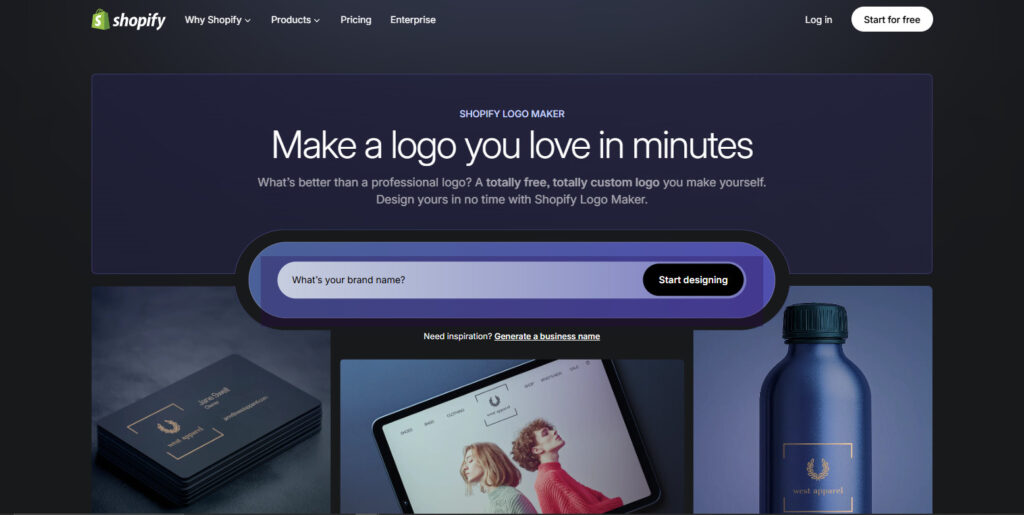
Shopify created Hatchful specifically for online store owners. The platform is perfect for beginners who want a super-fast, no-login logo experience.
The e-commerce focus provides unique advantages:
- Industry-specific template collections
- Social media size variations included
- Favicon generation for websites
- Multiple file formats without payment
- Optimized designs for product packaging
Hatchful generates logos sized for different platforms automatically. You receive versions for Instagram, Facebook, Twitter, LinkedIn, and more. This feature eliminates hours of manual resizing work.
The tool requires no account creation for basic use. You can download PNG files immediately after customization. Higher resolution files require a free account registration.
6. Design Evo

DesignEvo offers the largest template selection among free logo makers. The platform provides 10,000+ templates for creating stunning logos.
The massive template library means finding something close to your vision becomes easier. Every element remains fully customizable. Users can change colors, resize icons, adjust spacing, and modify text placement.
The free version includes:
- Access to all 10,000+ templates
- Millions of icons to choose from
- 100+ professional fonts
- Cloud storage for designs
- Low-resolution downloads (300x300px)
One user review praised: “My favorite thing about DesignEvo is how easy it is to come up with a professional design, even without artistic experience”.
Higher resolution downloads require a one-time payment. The Basic package costs $24.99 for 5000x5000px files. The Plus package at $49.99 includes vector files and full copyright ownership.
7. Adobe Express

Adobe Express brings professional design capabilities to beginners. The platform works more or less identically to Canva, albeit with additional design tools.
Adobe’s reputation adds credibility to your designs. The platform includes:
- AI-powered logo generation
- Professional template library
- Adobe font collection access
- Seamless integration with Photoshop and Illustrator
- Cloud sync across devices
The free tier provides robust features. Users can download PNG and JPG files without watermarks. Adobe Express is perfect for users who want high-quality designs that integrate seamlessly with the Adobe ecosystem.
Creative Cloud subscribers get premium features automatically. This makes Adobe Express particularly valuable for existing Adobe users.
Platform Comparison: Which Tool Fits Your Needs?
| Platform | Best Feature | Ideal User | Download Quality | Account Required |
| Design.com | Logo choice, quality and originality | Entrepreneurs, small businesses, non-profits, individuals, larger businesses | High-resolution PNG/JPG and vector files EPS/SVG/PDF are free | Yes |
| BrandCrowd | Logo quality | Entrepreneurs and small business | High-resolution PNG/JPG and vector files EPS/SVG/PDF are free | Yes |
| Canva | Versatility | Multi-purpose creators | High-resolution PNG/JPG | Yes |
| Looka | Personalization | Style-conscious brands | Premium download | Yes |
| Hatchful | E-commerce focus | Online store owners | PNG formats | No |
| DesignEvo | Template variety | Template-based designers | Low-resolution free | No |
| Adobe Express | Professional tools | Adobe ecosystem users | High-resolution | Yes |
The Statistics Behind Logo Design Success
Numbers don’t lie about logo impact. Research by Renderforest discovered that 75% of consumers recognize a brand by its logo. This recognition rate beats every other brand element measured.
Color psychology plays a massive role. A signature color increases brand recognition by 80%. The right color choice compounds your logo’s effectiveness dramatically.
The color blue appears in 30.8% of the world’s largest 250 companies’ logos. Blue conveys trust and professionalism. Tech companies and financial institutions favor this color for good reason.
Simplicity wins consistently. Data shows 81.6% of the 250 largest global companies have two or fewer colors in their logos. Complex designs confuse viewers and reduce memorability.
Consumer attention spans are short – you have roughly 10 seconds to capture an audience’s attention with your logo so they can memorize it. First impressions happen fast. Your logo must communicate clearly within seconds.
Brand consistency multiplies logo effectiveness. Research shows 68% of companies reported that consistent branding contributed 10-20% to revenue growth. Using your logo uniformly across platforms pays dividends.
The modernization impact surprises many business owners. A modernized logo leads to a 42% jump in perceived consumer trust. Customers associate fresh designs with professionalism and progress.
Typography matters more than most realize. Sans serif fonts are used by over three-quarters of Fortune 500 businesses. These clean, modern fonts communicate clearly across all platforms.
5-Step Process: Creating Your Professional Logo
Step 1: Define Your Brand Core
Answer these questions before opening any design tool:
- What three words describe your business personality?
- Who makes up your target customer base?
- What emotions should your logo trigger?
- What colors dominate your industry?
- How do competitor logos look?
Write down specific answers. Vague ideas produce vague designs. Clear direction creates focused results.
Step 2: Research Competitor Designs
Study 5-10 successful competitors thoroughly. Analyze their visual choices:
- The color schemes they selected
- Icon versus text-based approaches
- Modern versus traditional styling
- Memorable elements that stand out
Notice patterns without copying them. Understanding conventions helps you follow or break them strategically.
Step 3: Select Your Platform
Match the tool to your specific needs:
- Speed priority? Choose Looka or Hatchful
- Template preference? Select DesignEvo
- E-commerce business? Pick Hatchful
- Multiple design needs? Go with Canva
- Adobe user? Try Adobe Express
Each platform excels in different scenarios. Your priorities determine the best choice.
Step 4: Generate Initial Options
Enter your business details clearly:
- Company name and slogan
- Industry category
- Preferred color schemes
- Style preferences (modern, vintage, minimalist)
- Icon preferences (abstract, literal, text-only)
Detailed inputs produce better outputs. AI systems work better with more information.
Step 5: Customize Your Selection
Refine your chosen design carefully:
- Color Adjustments: Match your brand palette exactly. Test combinations for accessibility. Tools like WebAIM offer free contrast checkers.
- Font Selection: Choose typography matching your personality. Tech brands select clean, modern fonts. Creative businesses might choose expressive options.
- Icon Refinement: Balance icon size with text. Professional logos never feel cramped. White space enhances readability significantly.
- Spacing Tweaks: Add breathing room around elements. Proper spacing signals professionalism instantly.
Common Mistakes That Ruin Free Logos
Following Trends Too Closely
Design trends change constantly. Gradients dominated 2022 but feel dated by 2026. By 2026, 70% of new logos are expected to follow minimalistic principles.
Your logo needs staying power. A Reddit discussion revealed this insight: “Companies that chase trends rebrand every few years. Timeless logos outlast fads and save money long-term”.
Using Too Many Colors
Professional logos typically use 2-3 colors maximum. More colors create problems:
- Printing costs increase dramatically
- Brand consistency becomes harder
- Designs look cluttered and busy
- Memorability decreases significantly
Studies show simpler color schemes increase brand recognition by 80%. The most recognizable brands worldwide use minimal palettes.
Choosing Illegible Fonts
Decorative fonts look attractive at large sizes. They fail at small dimensions. Your logo appears on business cards, social media profiles, and mobile screens everywhere.
Test your design at 50 pixels wide. Can you still read the text clearly? If not, choose a simpler font immediately.
Ignoring Scalability
Logos must work at every size. Your design might look perfect at 1000 pixels. The same design becomes illegible at 50 pixels without proper planning.
Test extensively across sizes:
- Shrink to favicon size (16×16 pixels)
- Print at business card dimensions
- Display as email signature size
- View on mobile screen dimensions
Each application reveals different challenges. Your logo should excel everywhere it appears.
Copying Competitor Designs
Inspiration differs from imitation fundamentally. Study competitor logos for understanding, never for copying directly.
Similar logos cause several problems:
- Legal issues with trademark violations
- Customer confusion about identity
- Lack of market differentiation
- Damaged brand credibility
Create something distinctive always. Your unique brand deserves unique
Future Trends in AI Logo Design
By 2026, 20% of logos will be generated using AI algorithms. The technology continues to improve rapidly. Machine learning systems understand design principles better each year.
Animated logos are growing in popularity, with 60% of businesses expected to incorporate animation in their logos by 2026. Motion design creates engagement primarily online.
AR technology presents new opportunities, with30% of businesses predicted to have AR-enabled logos for customer engagement by 2026. Interactive logos will transform brand experiences.
The shift toward personalization accelerates. By 2026, 40% of companies may have logos tailored to individual customer preferences. Dynamic branding represents the future.
Your Professional Logo Awaits
Free AI logo makers democratized professional design completely. Small businesses now access tools previously reserved for corporations with massive budgets. The technology levels the playing field dramatically. Your startup can look as polished as established competitors immediately.
Success requires more than technology alone. Thoughtful planning comes first. Clear brand vision guides every decision. Research grounds your choices in reality. Testing ensures effectiveness before launch. Target audience feedback reveals blind spots you’d miss otherwise.
Start with your brand vision clearly defined. Choose the platform matching your specific needs. Invest time in meaningful customization. Test across multiple applications thoroughly. Gather feedback from people who matter most. Then launch confidently with your professional identity.
The tools exist and work remarkably well. The process is straightforward and accessible. Your professional brand identity awaits creation today. Take action now and build the visual foundation your business deserves.



