
Traditional solutions don’t work anymore. Hiring designers costs $50-200 per project. Learning Photoshop takes weeks. Templates from Microsoft Word look like, well, Microsoft Word templates from 2003.
Let me walk you through the 5 best free AI letterhead generators available right now.
Understanding Letterhead Generators
Think of letterhead generators as automated designers that understand business stationery.
You provide information, such as company name, address, phone number, and email, and may also upload a logo. The AI processes this data and creates properly formatted letterheads following professional design principles. Layouts balance visual appeal with information hierarchy. Typography stays readable. Colors complement your brand. Everything aligns correctly.
Traditional letterhead creation required either design software expertise or money. Design agencies charged $100-500 for basic letterhead design. DIY attempts in Word often looked amateur. Templates are limited in customization and rarely match specific brand identities.
AI generators eliminated both problems. The technology handles design principles automatically. Professional typography, appropriate spacing, balanced layouts, all generated instantly based on your inputs.
These tools adapt to different business types naturally. Law firms get conservative, traditional designs. Creative agencies receive bold, modern layouts. Medical practices see clean, trustworthy aesthetics. The AI adjusts output matching industry expectations without explicit instructions.
Multiple format exports solve practical needs. Download PDF for printing. Get PNG/JPG for email signatures. Export Word/DOCX files for editing. Choose SVG for scalability. Each format serves specific use cases.
Why Professional Letterheads Actually Matter
Numbers don’t lie about the professional stationery impact.
The corporate segment invests heavily in customized letterheads, business cards, and notepads featuring company logos and brand colors. This spending isn’t wasteful; it’s strategic. Well-designed stationery enhances corporate identity and positively influences client perceptions.
First impressions happen fast. Someone receiving your letter makes snap judgments before reading the content. Professional letterhead signals legitimacy immediately. Amateur-looking stationery creates opposite impressions, regardless of your actual capabilities.
Brand consistency compounds over time. Every document you send reinforces brand identity when using standardized letterhead. Clients, partners, and employees all see consistent branding across communications. This repetition builds recognition and trust organically.
Legal and formal contexts demand professional presentation. Contracts, agreements, and official notices require letterhead for legitimacy. Courts, regulatory bodies, and business partners expect proper formatting. Missing letterhead undermines authority.
Remote work changed stationery needs dramatically. With professionals working from home or hybrid arrangements, more people need personal office supplies to create productive environments. The shift expanded consumer bases for stationery products beyond traditional office settings.
The 5 Best AI Letterhead Generators
1. Template.net AI Letterhead Generator
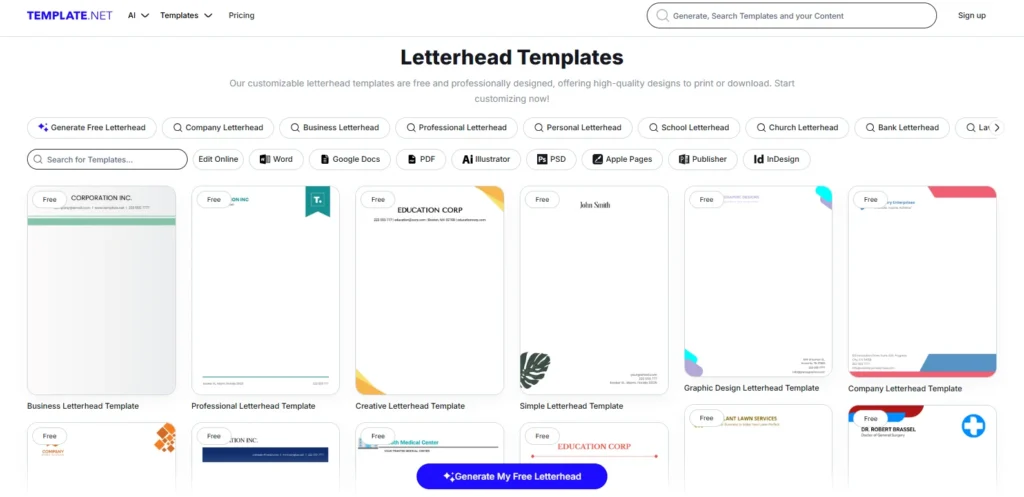
Template.net delivers the most accessible free letterhead generation without any barriers.
Key Features:
- Text or voice prompt input
- No signup required
- 100% free forever
- 20+ language support
- Instant generation (under 10 seconds)
- Fully customizable in the editor
- Multiple templates (business, corporate, personal)
- Team collaboration features
- Cloud storage automatically saves
- Multiple export formats (PNG, JPG, PDF, SVG, Word)
Why It Works:
The no-signup approach removes friction completely. You visit the site, describe your letterhead need, and watch designs appear instantly. No accounts, no passwords, no email verification. Just results.
Voice prompts add surprising convenience. Speak “Create professional letterhead for law firm” and watch the AI work. This feature helps when multitasking or when typing feels cumbersome.
The 10-second generation speed impresses consistently. Other tools process for 30-60 seconds. Template.net finishes while you’re still reading the screen. This speed enables rapid iteration try multiple designs quickly until finding perfect fits.
Language support beyond English makes global business easier. Create letterheads in Spanish, Hindi, French, Arabic, Chinese, Japanese, German, Portuguese, Russian, Italian, Korean, and more. International clients receive communications in their native languages.
Team collaboration features separate this from competitors. Invite colleagues to co-edit. Leave comments on specific design elements. Finalize together without emailing files back and forth. The workflow matches how actual businesses operate.
Best For: Quick generation, no-signup access, international businesses, team collaboration
Pricing: Completely free
Platform: Web-based
2. Venngage AI Letterhead Generator
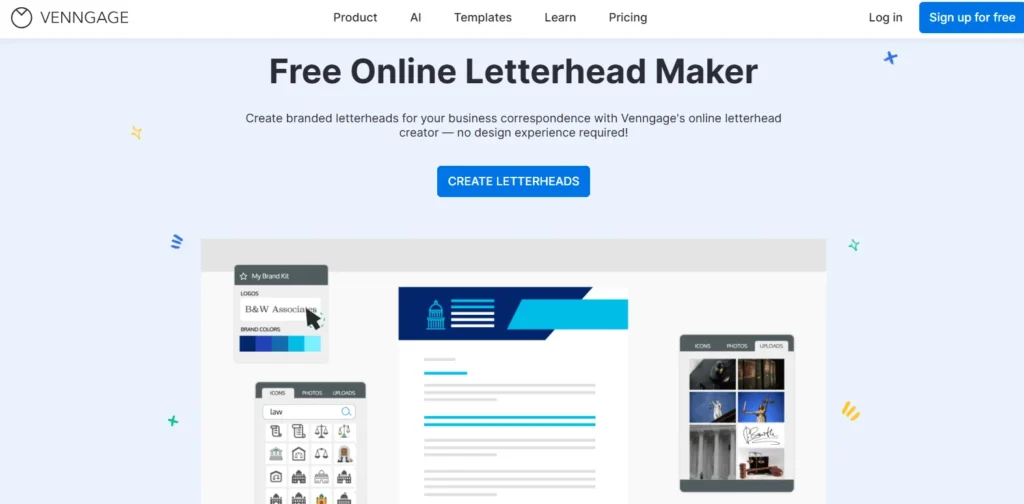
Venngage focuses specifically on maintaining brand identity across all communications.
Key Features:
- Auto-branding tools (instant logo/font/color application)
- AI-powered design from prompts
- Drag-and-drop editor
- Professional letterhead templates
- Brand kit integration
- Copyright-free designs
- Multiple export formats
- Team sharing features
Why It Works:
The auto-branding capability saves tremendous time. Upload your logo once. Define brand colors and fonts. Every letterhead automatically applies these elements correctly. No manual adjustment needed. No forgetting to include the logo. No accidentally using the wrong colors.
This consistency matters more than most realize. Businesses spend years building brand recognition. Inconsistent materials undo that work quickly. Venngage prevents inconsistency automatically.
The AI prompt system understands context well. Type “professional letterhead for healthcare clinic” and receive appropriate designs that are clean, trustworthy, and medical-industry appropriate. Say “creative letterhead for design studio” and get bold, innovative layouts. The AI interprets industry expectations accurately.
HR, healthcare, and nonprofit organizations particularly benefit. These sectors send significant formal communications. Professional appearance reinforces institutional credibility. Venngage’s tools ensure every letter, memo, and document maintains high presentation standards.
Best For: Brand consistency, multiple team members, professional services, regular letterhead use
Pricing: Free plan available, Premium for advanced features
Platform: Web-based
3. Pixazo AI Letterhead Maker
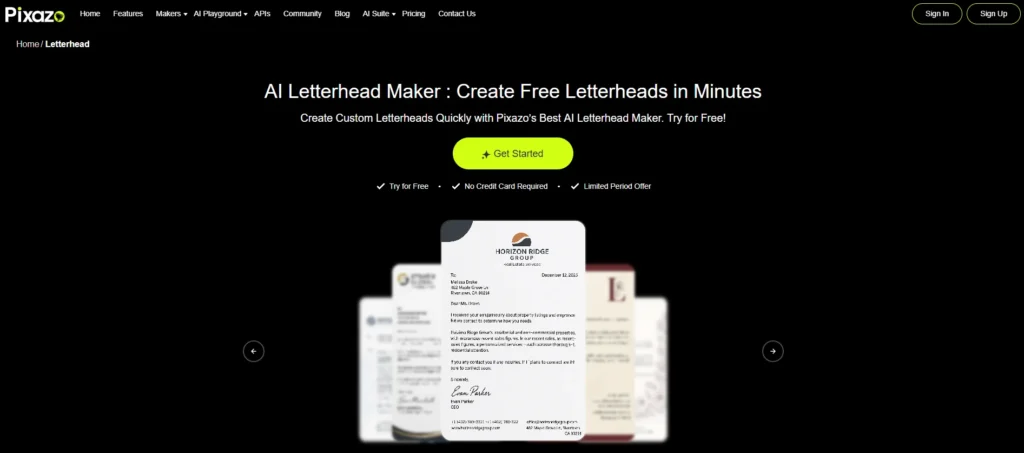
Pixazo built their letterhead generator specifically for non-designers who need professional results fast.
Key Features:
- Simple 3-step process
- No design skills required
- Business information auto-formatting
- AI-powered design editor
- Print and digital format support
- Customization options (colors, fonts, layouts)
- Brand guideline alignment
- High-quality export
- Account saves designs
Why It Works:
The simplicity removes intimidation. Step one: add business details. Step two: AI generates a preview. Step three: download. That’s literally everything. No overwhelming options, no confusing menus, no design decisions requiring expertise.
The AI handles professional formatting automatically. Contact information aligns properly. Logo positioning follows design principles. White space balances correctly. Typography remains readable. These details separate amateur from professional, and Pixazo handles them automatically.
Unexpected business needs get handled immediately. Last-minute client presentations? Urgent proposals? Sudden document requirements? Generate clean, professional letterheads instantly without scrambling or delays.
The generated letterhead based entirely on the provided information. This ensures final designs represent your business identity accurately and maintain a consistent, professional appearance. No generic templates that could belong to anyone.
Best For: Non-designers, small businesses, quick needs, simplicity
Pricing: Free account required
Platform: Web-based
4. Canva Letterhead Design
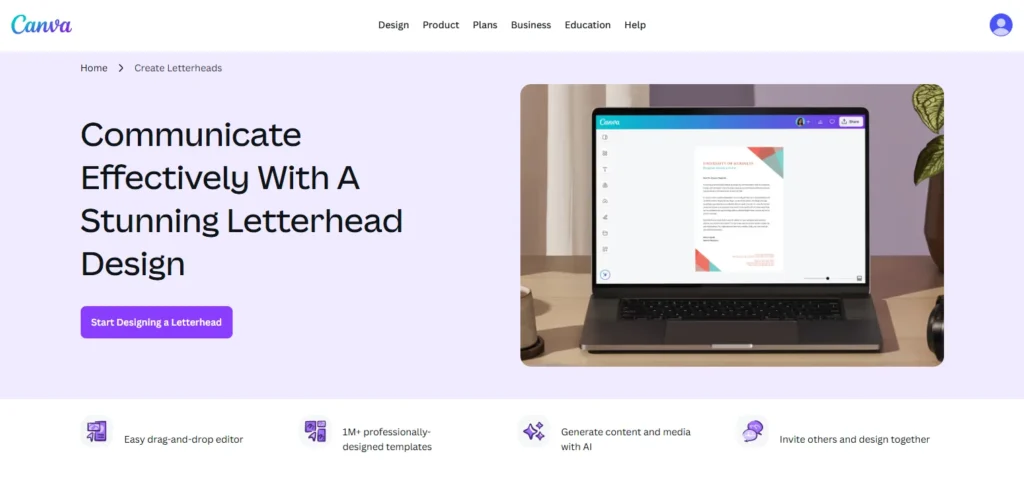
Canva integrates letterhead creation into their comprehensive design platform with vast template libraries.
Key Features:
- Magic Studio AI tools
- Extensive template library
- 1M+ stock images
- Drag-and-drop interface
- Team collaboration
- Brand kit features
- Mobile apps
- Multiple export formats
- Design integration (create matching business cards, etc.)
Why It Works:
The template selection dwarfs competitors. Browse hundreds of professional letterhead designs spanning every industry and style. Traditional corporate. Modern minimalist. Creative bold. Medical professional. Legal conservative. Educational friendly. Every aesthetic exists.
Matching materials expands brand identity. Create letterheads, then design business cards using the same branding. Add envelopes. Make notepads. Build complete stationery sets, maintaining perfect consistency. This unified approach strengthens brand recognition significantly.
The platform’s popularity brings team benefits. Chances are, your colleagues already know Canva. No training required. Everyone immediately understands how to edit, comment, and finalize designs. The familiar interface accelerates adoption.
Marketing teams particularly benefit. Create letterheads matching current campaigns. Adjust colors seasonally. Generate specialized letterheads for different departments or purposes. The flexibility supports dynamic branding strategies.
Best For: Template variety, complete branding, teams, existing Canva users
Pricing: Free with limitations, Pro from $12.99/month for full features
Platform: Web-based, iOS, Android, desktop apps
5. Zoviz Letterhead Maker
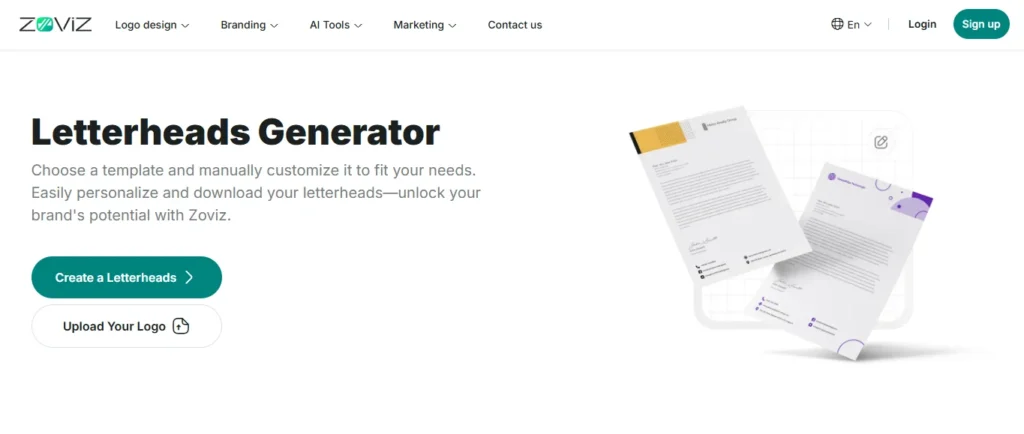
Zoviz positions letterhead generation within comprehensive brand identity development.
Key Features:
- AI logo generation included
- Complete brand kit (business cards, email signatures, social media)
- High-resolution print-ready files
- PDF and Word export
- Brand colors and typography
- Intuitive editor
- Multiple file formats (PNG, JPG, SVG, EPS, PDF)
Why It Works:
The complete brand kit approach solves a bigger problem. Most businesses need more than just letterheads. They need logos, business cards, email signatures, and social media graphics. Complete visual identities. Zoviz provides everything together, ensuring perfect consistency across materials.
Starting businesses benefits enormously. Generate a logo using AI. The system automatically creates letterheads, business cards, and other materials using that logo. Everything matches perfectly from day one. No piecemeal development, creating inconsistent materials over time.
Print-ready quality matters for professional use. High-resolution files maintain color accuracy and clarity whether printing or using digitally. No pixelation, no unexpected color shifts, no quality compromises.
The brand guidelines’ inclusion helps maintain consistency long-term. The kit documents logo usage rules, color codes, and typography specifications. Future designers or team members follow established standards automatically.
Best For: New businesses, complete branding needs, print materials, comprehensive solutions
Pricing: Paid service with a complete brand kit
Platform: Web-based
Choosing Your Letterhead Generator
Different situations call for different tools.
Need something immediately with zero barriers?
Go with Template.net. No signup, no payment, no waiting. Just instant professional letterheads.
Managing brand consistency across teams?
Choose Venngage. The auto-branding tools and team features maintain perfect consistency automatically.
Complete non-designer wanting a simple process?
Pick Pixazo. The three-step workflow and automatic formatting remove all complexity.
Want maximum template options?
Use Canva. The enormous template library ensures you’ll find styles matching your exact preferences.
Building a complete brand identity?
Select Zoviz. The comprehensive brand kit solves multiple needs simultaneously with perfect consistency.
Professional Letterhead Design Tips
Include Essential Information Only
Letterheads need the company name, address, phone, email, and website. Don’t overcrowd with unnecessary details like multiple phone numbers, fax (seriously, stop), or excessive text. Clean designs communicate professionalism better than information overload.
Maintain Visual Balance
Information is typically positioned at the top (header) or split between top and bottom (header/footer). The main document area needs significant white space for actual letter content. Don’t let letterhead design overwhelm the actual message.
Choose Appropriate Typography
Readable fonts matter more than decorative ones. Sans-serif fonts (like Arial, Helvetica) work well for modern businesses. Serif fonts (like Times New Roman, Garamond) suit traditional industries. Script fonts only work for creative businesses, and even then, use sparingly.
Stick to Brand Colors
Letterhead should use established brand colors consistently. Two to three colors maximum work best. Full-color photos or complex graphics often distract more than enhance. Simple, clean designs age better than trendy, complex ones.
Test Before Bulk Printing
Print test pages before ordering hundreds. Colors look different on screen versus paper. Margins might not match expectations. Text might be smaller than anticipated. Testing prevents expensive mistakes.
Common Letterhead Mistakes
Too Much Design
Overly decorative letterheads distract from the actual content. Remember that letterhead supports the message and doesn’t replace it. Recipients should notice professionalism, not admire design choices.
Wrong File Formats
PDF works best for printing. Word/DOCX enables editing. PNG/JPG suit digital use. Using the wrong formats creates problems. Always save multiple format versions.
Forgetting Bleed for Printing
Professional printing requires bleed, which is design extending beyond the trim edges. Without bleed, white borders appear around printed letterheads. AI generators often include bleed automatically, but verify before printing.
Inconsistent Branding
Letterhead must match business cards, website, and other materials exactly. Different logos, colors, or fonts undermine brand identity. This consistency requires planning and systems.
Ignoring Mobile Viewing
Many recipients view letters on phones now. Tiny text or complex designs become illegible on small screens. Test letterhead appearance on mobile devices before finalizing.
The Business Reality
Let’s talk honestly about professional stationery.
The stationery products market reached $108 billion in 2024. That’s not declining despite digital transformation it’s growing to projected $164 billion by 2032. Why? Because professional presentation still matters enormously in business.
Remote work expanded rather than contracted stationery needs. Professionals working from home still need branded materials for client communications, proposals, and contracts. The home office revolution created new stationery demand rather than eliminating it.
Corporate sector growth drives continued investment. Startups globally increased from approximately 500 in 2016 to over 159,000 in 2025 in India alone. Each new business needs branded stationery. This pattern repeats worldwide as entrepreneurship explodes.
Personalization trends strengthen demand. That 71% of consumers expect personalized interactions translates directly to customized stationery expectations. Generic templates don’t cut it anymore. Businesses need branded, professional materials reflecting their unique identities.
Real-World Applications
Small Business Credibility: New businesses use professional letterheads to compete with established companies. The right letterhead makes a 6-month-old startup appear as legitimate as decade-old competitors. This perception gap matters tremendously when pitching clients or partners who judge businesses partly on presentation quality.
Freelancer Professional Image: Independent consultants, designers, writers, and other freelancers send proposals, contracts, and invoices regularly. Professional letterheads elevate perceived expertise. Clients pay premium rates more readily when communications look polished and established.
Nonprofit Organization Communications: Nonprofits send grant applications, donor correspondence, and official notices requiring professional presentation. Letterheads signal organizational legitimacy, which is crucial when requesting funding or engaging stakeholders. The investment in proper stationery pays dividends in credibility.
Legal Document Requirements: Contracts, agreements, legal notices, and formal communications often require letterhead for validity. Courts and regulatory bodies expect proper formatting. AI generators ensure documents meet these professional standards without legal department involvement.
Medical Practice Communications: Healthcare providers send patient correspondence, referral letters, and insurance documentation. Professional medical letterheads reinforce trust and institutional credibility. Patients respond better to communications that appear official and established.
Final Thoughts on Letterhead Generators
AI letterhead generators democratized professional business presentations.
Small businesses now create Fortune 500-quality branded materials. Freelancers’ project established professionalism matching large firms. Startups build brand identity from day one without agency budgets. Everyone accesses design quality that used to require expensive expertise.
The five tools covered handle every scenario. Template.net offers instant, no-signup access. Venngage maintains perfect brand consistency. Pixazo simplifies everything to three steps. Canva provides an enormous template variety. Zoviz delivers complete brand kits.
Professional appearance became accessible to everyone. These AI tools deliver it instantly and affordably.



