
This may take few seconds.

0% Completed

AI Invoice Generator · Freemium
Canva Invoice Maker logo - AI Invoice Generator

Canva Invoice Maker

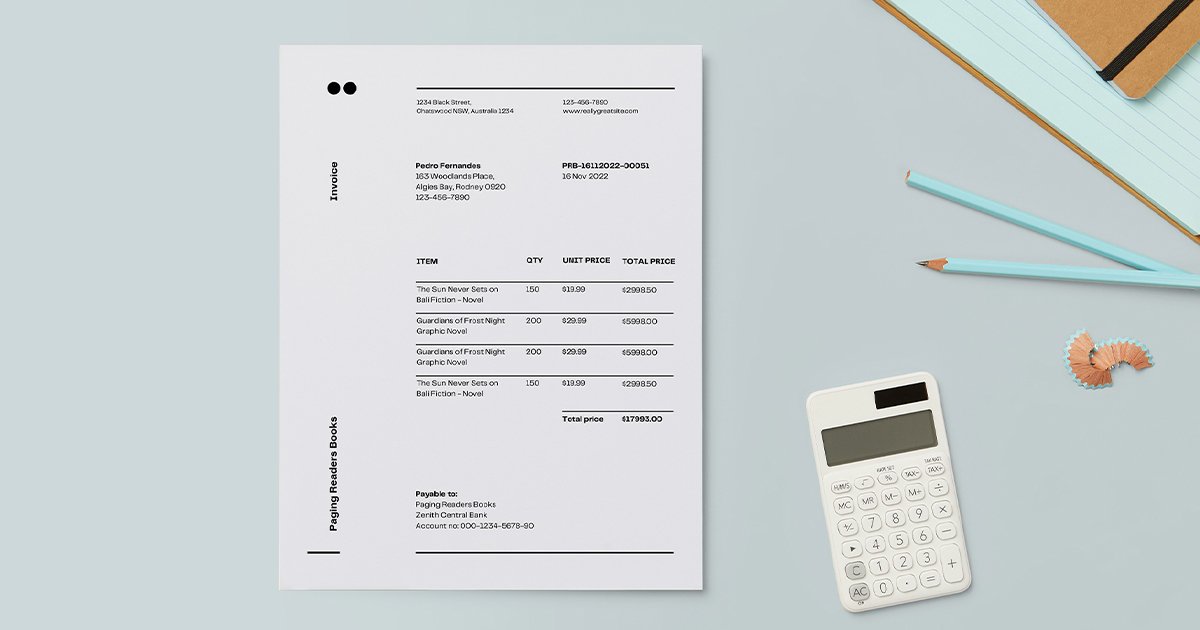
Canva Invoice Maker lets you design professional invoices free with thousands of customizable templates, a drag-and-drop editor, Brand Kit, and PDF, PNG or JPEG downloads or view-only share links.

  • ai invoice generator
  • canva
  • invoice maker
  • invoice templates
  • free invoice
  • design
  • brand kit
  • pdf invoice
  • small business
  • creatives
Visit Website

Updated Oct 13, 2026

Pricing Freemium

Rating No reviews yet

Canva Invoice Maker preview - AI Invoice Generator

Standout Features

What makes Canva Invoice Maker stand out

  • Thousands of designed templates
  • Free to use
  • Brand Kit
  • Share links

Key Features

What’s in the toolkit?

  • 01

    Thousands of invoice templates

  • 02

    Industry categories

  • 03

    Drag-and-drop editor

  • 04

    Brand Kit (Pro)

  • 05

    Magic Switch (Pro)

  • 06

    PDF, PNG and JPEG download

  • 07

    View-only share links

  • 08

    Print option

  • 09

    Web and mobile apps

What is Canva Invoice Maker?

Free online invoice generator

Canva makes invoices as well-designed as the rest of your brand.

Key capabilities

  • Thousands of free templates.
  • Drag-and-drop editor.
  • Brand Kit (Pro).
  • PDF, PNG or JPEG export.
  • Magic Switch resizing (Pro).

Who it's for

Canva is a design-first AI invoice generator for creatives and small businesses.

Pricing
Freemium
Company
Canva
Platform Access
1 feature

Use Cases

Where teams put it to work

  • 01

    Freelancers

  • 02

    Creative businesses

  • 03

    One-off invoices

Workflow

How to use Canva Invoice Maker?

  1. 01

    Open Canva's invoice templates.

  2. 02

    Pick a design.

  1. 03

    Edit details and items.

  2. 04

    Download or share.

Pros & Cons

Is Canva Invoice Maker right for you?

Pros

3
  • Beautiful designs
  • Free
  • Easy

Cons

2
  • No payment tracking
  • No automatic calculations

Pricing

Pricing for Canva Invoice Maker

Freemium
  • Free: invoice templates and editor.
  • Canva Pro: Brand Kit, Magic Switch and premium content.

See canva.com/pricing for current Pro prices.

Who is it for

Who is Canva Invoice Maker for?

Freelancers.Creatives.
FAQ

Frequently Asked Questions

Everything you need to know about Canva Invoice Maker before you try it.

A transaction record sent to a client requesting payment.

Start with a template and include both parties' details, an invoice number, work description, quantities, terms and fees.

Export as PDF, PNG or JPEG, or share a view-only link.

Not usually.

Reviews

Canva Invoice Maker Reviews

Real experiences from people who use Canva Invoice Maker. Share yours to help others choose the right tool.

0.0/5

No reviews yet

5
0%
4
0%
3
0%
2
0%
1
0%

No reviews yet

Have you used Canva Invoice Maker? Be the first to share your experience and help others decide.

Write a review

How would you rate Canva Invoice Maker?

0/2000

Your email is never shown publicly. Reviews appear after a quick check by our team.

Explore More Similar Tools

More tools worth checking out from the same category.

Never Miss a New AI Tool

Subscribe to get the latest AI tools, deals, and resources delivered straight to your inbox — no spam, unsubscribe anytime.