This may take few seconds.

0% Completed

Letterhead Generators · Freemium
Freepik logo - Letterhead Generators

Freepik

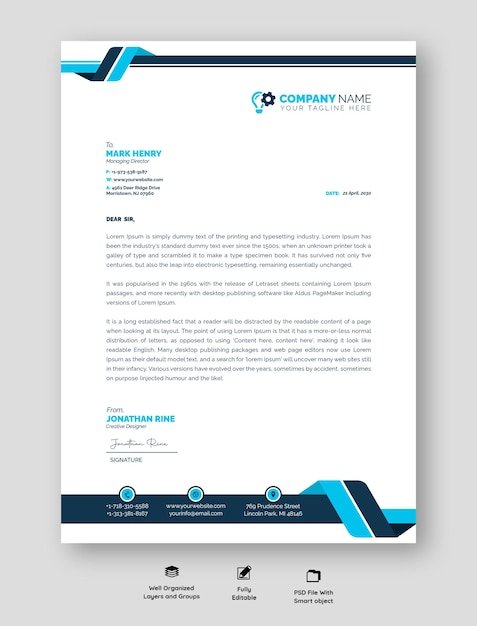
Freepik, now rebranded as Magnific, offers a large library of free and premium letterhead templates in PSD and vector formats, plus AI image tools and a Designer editor that imports and exports PDF.

  • letterhead generator
  • freepik
  • magnific
  • letterhead templates
  • psd letterhead
  • vector letterhead
  • free templates
  • ai design
  • stock assets
  • designer
Visit Website

Updated Oct 12, 2026

Pricing Freemium

Rating No reviews yet

Freepik preview - Letterhead Generators

Standout Features

What makes Freepik stand out

  • Thousands of PSD and vector letterheads
  • Free commercial-use assets
  • Designer editor with PDF export
  • AI tools

Key Features

What’s in the toolkit?

  • 01

    Letterhead templates in PSD and vector

  • 02

    Free and premium assets

  • 03

    Editable online filter

  • 04

    AI-generated filter

  • 05

    AI image generator

  • 06

    Designer editor

  • 07

    Ask Agent edits

  • 08

    Auto Layers

  • 09

    Background removal

  • 10

    Multi-page projects

  • 11

    Imports PSD, PDF, InDesign and HTML

  • 12

    PNG, JPG, WebP and PDF export

What is Freepik?

The creative platform to direct your best work

Freepik (now Magnific) is a stock and AI creative platform with thousands of letterhead templates.

Letterhead features

  • Letterhead templates in PSD and vector.
  • Free-for-commercial-use and premium assets.
  • Editable online and AI-generated filters.
  • Designer editor with Auto Layers and background removal.
  • PDF export with DPI settings.

Why use it

Freepik is ideal for designers who want ready-made letterhead files. It's a resource-rich letterhead generator alternative.


Pricing
Freemium
Company
Freepik Company S.L.U.
Platform Access
3 features

Use Cases

Where teams put it to work

  • 01

    Designer-ready letterhead files

  • 02

    Corporate stationery templates

  • 03

    Custom edits in Photoshop

Workflow

How to use Freepik?

  1. 01

    Search letterhead on Freepik/Magnific.

  2. 02

    Pick a template.

  1. 03

    Edit online or in Photoshop/Illustrator.

  2. 04

    Export PDF or image.

Pros & Cons

Is Freepik right for you?

Pros

3
  • Huge template library
  • Many free files
  • Professional formats

Cons

2
  • Not a dedicated letterhead maker
  • Rebrand to Magnific may confuse users

Pricing

Pricing for Freepik

Freemium
  • Free: many free letterhead templates.
  • Premium – $20/month ($14.50 billed yearly).
  • Premium+ – $45/month ($33.75 billed yearly).
  • Pro Starter – $110/month ($82.50 billed yearly).

Prices exclude VAT.

Who is it for

Who is Freepik for?

Designers.Agencies.Businesses wanting editable files.
FAQ

Frequently Asked Questions

Everything you need to know about Freepik before you try it.

Yes, Auto Layers splits it into editable layers.

PNG, JPG, WebP, SVG, PDF, HTML, PSD and InDesign.

PNG, JPG, WebP or PDF; multi-page projects export as a PDF and a ZIP.

Reviews

Freepik Reviews

Real experiences from people who use Freepik. Share yours to help others choose the right tool.

0.0/5

No reviews yet

5
0%
4
0%
3
0%
2
0%
1
0%

No reviews yet

Have you used Freepik? Be the first to share your experience and help others decide.

Write a review

How would you rate Freepik?

0/2000

Your email is never shown publicly. Reviews appear after a quick check by our team.

Explore More Similar Tools

More tools worth checking out from the same category.

Never Miss a New AI Tool

Subscribe to get the latest AI tools, deals, and resources delivered straight to your inbox — no spam, unsubscribe anytime.