
This may take few seconds.

0% Completed

AI Presentation Maker · Freemium
Google Slides (Gemini) logo - AI Presentation Maker

Google Slides (Gemini)

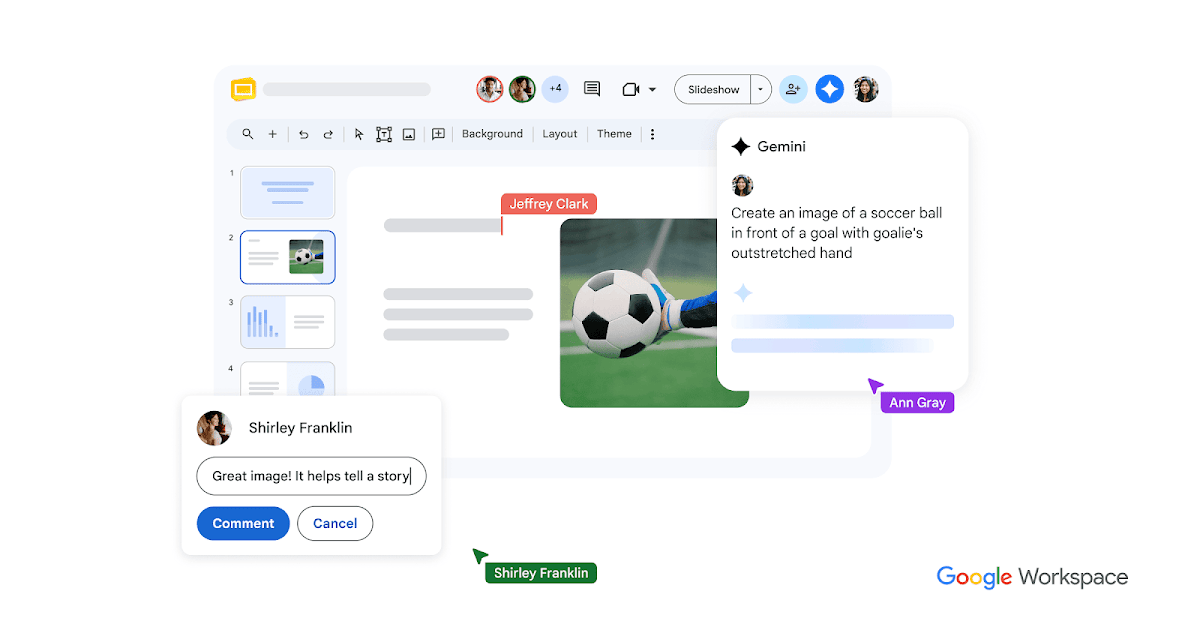
Google Slides with Gemini creates slides from a prompt and your Drive content, summarizes presentations and generates images, inside Google's collaborative, cloud-based presentation app.

  • ai presentation maker
  • google slides
  • gemini
  • google workspace
  • collaborative slides
  • ai images
  • powerpoint import
  • education
  • teams
  • free
Visit Website

Updated Oct 14, 2026

Pricing Freemium

Rating No reviews yet

Google Slides (Gemini) preview - AI Presentation Maker

Standout Features

What makes Google Slides (Gemini) stand out

  • Real-time collaboration
  • Drive-grounded slides
  • Free with a Google Account

Key Features

What’s in the toolkit?

  • 01

    Gemini slide generation

  • 02

    Drive content grounding

  • 03

    Summaries

  • 04

    Image generation

  • 05

    Templates

  • 06

    Branded templates (Business/Enterprise)

  • 07

    Live co-editing and comments

  • 08

    Meet integration

  • 09

    PowerPoint and Canva import

  • 10

    Offline and mobile apps

  • 11

    Add-ons like Pear Deck and Slido

What is Google Slides (Gemini)?

Collaborative presentations with Gemini

Google Slides adds Gemini to real-time collaborative decks.

Key capabilities

  • Create slides from prompts and Drive.
  • Summaries.
  • AI images.
  • Live co-editing.
  • PowerPoint import.

Who it's for

Google Slides with Gemini is a collaborative AI presentation maker.

Pricing
Freemium
Company
Google
Platform Access
1 feature

Use Cases

Where teams put it to work

  • 01

    Team decks

  • 02

    Classroom slides

Workflow

How to use Google Slides (Gemini)?

  1. 01

    Open Google Slides.

  2. 02

    Ask Gemini for a slide.

  1. 03

    Edit with collaborators.

  2. 04

    Present or share.

Pros & Cons

Is Google Slides (Gemini) right for you?

Pros

2
  • Free and familiar
  • Best-in-class collaboration

Cons

2
  • Gemini features need paid plan
  • Simpler designs

Pricing

Pricing for Google Slides (Gemini)

Freemium

Slides is free with a Google Account; Gemini features come with eligible Google Workspace or add-on plans. See workspace.google.com/pricing.

Who is it for

Who is Google Slides (Gemini) for?

Teams.Teachers.Students.
FAQ

Frequently Asked Questions

Everything you need to know about Google Slides (Gemini) before you try it.

Yes, convert PowerPoint files or edit them directly; the original file stays intact.

Multiple people can work on the same slide at once, with sharing controls and revision history.

Reviews

Google Slides (Gemini) Reviews

Real experiences from people who use Google Slides (Gemini). Share yours to help others choose the right tool.

0.0/5

No reviews yet

5
0%
4
0%
3
0%
2
0%
1
0%

No reviews yet

Have you used Google Slides (Gemini)? Be the first to share your experience and help others decide.

Write a review

How would you rate Google Slides (Gemini)?

0/2000

Your email is never shown publicly. Reviews appear after a quick check by our team.

Explore More Similar Tools

More tools worth checking out from the same category.

Never Miss a New AI Tool

Subscribe to get the latest AI tools, deals, and resources delivered straight to your inbox — no spam, unsubscribe anytime.