This may take few seconds.

0% Completed

Graphic Design · Freemium
Microsoft Designer logo - Graphic Design

Microsoft Designer

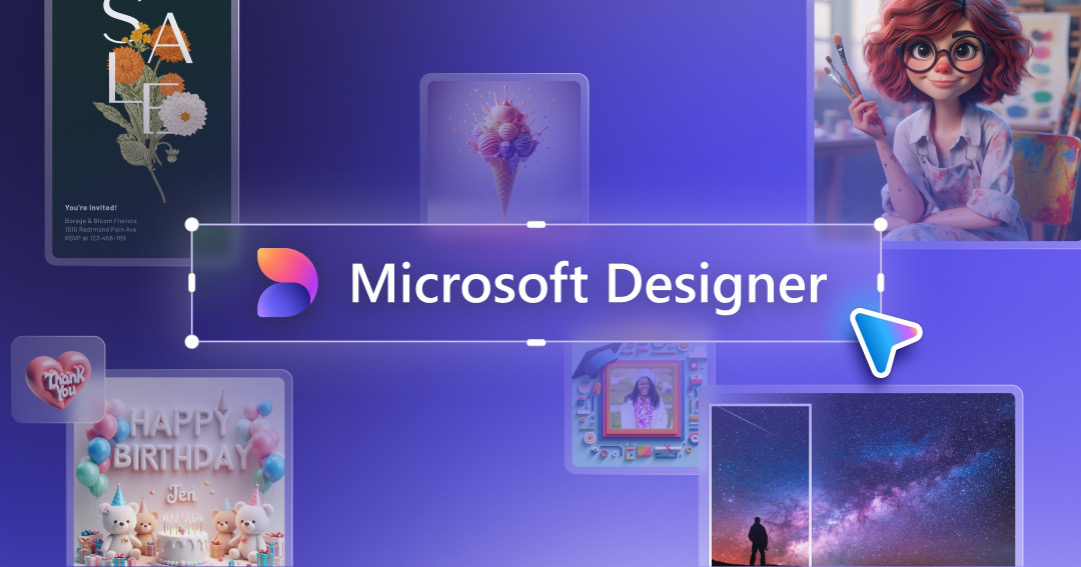
Microsoft Designer is a generative-AI graphic design app for creating images, social posts, invitations, cards and banners, with generative erase, upscale and brand kits, on web, iOS, Android and inside Microsoft 365.

  • graphic design
  • microsoft designer
  • ai design
  • copilot
  • social posts
  • invitations
  • greeting cards
  • brand kit
  • microsoft 365
  • free
Visit Website

Updated Oct 12, 2026

Pricing Freemium

Rating No reviews yet

Microsoft Designer preview - Graphic Design

Standout Features

What makes Microsoft Designer stand out

  • Generative AI design app
  • Built into Microsoft 365
  • Free with monthly credits
  • Upscale to 4K

Key Features

What’s in the toolkit?

  • 01

    Banners

  • 02

    Brand kits

  • 03

    Collages

  • 04

    Enhance prompt

  • 05

    Frame image

  • 06

    Generate text

  • 07

    Generative erase

  • 08

    Greeting cards

  • 09

    Invitations

  • 10

    Social posts

  • 11

    Upscale to 4K

  • 12

    Content credentials

  • 13

    Copilot in Word and PowerPoint

  • 14

    Web, iOS and Android

What is Microsoft Designer?

Stunning designs in a flash

Microsoft Designer uses generative AI to help anyone create and edit designs in seconds.

Key capabilities

  • Social posts, banners, invitations and greeting cards.
  • Generative erase and upscale to 4K.
  • Brand kits and collages.
  • Enhance prompt and generate text.
  • Copilot in Word and PowerPoint.

Who it's for

Free with monthly credits, Microsoft Designer is an easy AI graphic design tool for personal projects.


Pricing
Freemium
Company
Microsoft Corporation
Platform Access
1 feature

Use Cases

Where teams put it to work

  • 01

    Social media posts

  • 02

    Invitations and cards

  • 03

    Personal projects

Workflow

How to use Microsoft Designer?

  1. 01

    Open designer.microsoft.com.

  2. 02

    Choose a design type.

  1. 03

    Describe your design.

  2. 04

    Edit and download.

Pros & Cons

Is Microsoft Designer right for you?

Pros

3
  • Free to start
  • Integrated with Microsoft 365
  • Simple interface

Cons

2
  • Personal, non-commercial license
  • Credits limited on free plan

Pricing

Pricing for Microsoft Designer

Freemium
  • Free: monthly credits.
  • Microsoft 365 Personal – $9.99/month.
  • Microsoft 365 Family – $12.99/month.
  • Microsoft 365 Premium – $19.99/month.

Who is it for

Who is Microsoft Designer for?

Microsoft 365 users.Everyday creators.
FAQ

Frequently Asked Questions

Everything you need to know about Microsoft Designer before you try it.

Yes, though frequent creators may need a subscription.

No.

In the cloud under My projects, counting toward your Microsoft storage.

No, there is no recycle bin.

Reviews

Microsoft Designer Reviews

Real experiences from people who use Microsoft Designer. Share yours to help others choose the right tool.

0.0/5

No reviews yet

5
0%
4
0%
3
0%
2
0%
1
0%

No reviews yet

Have you used Microsoft Designer? Be the first to share your experience and help others decide.

Write a review

How would you rate Microsoft Designer?

0/2000

Your email is never shown publicly. Reviews appear after a quick check by our team.

Explore More Similar Tools

More tools worth checking out from the same category.

Never Miss a New AI Tool

Subscribe to get the latest AI tools, deals, and resources delivered straight to your inbox — no spam, unsubscribe anytime.