This may take few seconds.

0% Completed

Graphic Design · Freemium
Pixlr logo - Graphic Design

Pixlr

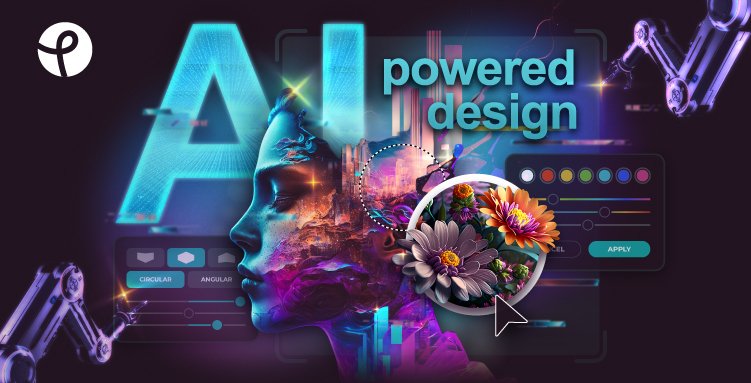
Pixlr is a browser-based suite of photo editors, design tools and AI generators with Pixlr Express, Pixlr Editor, Pixlr Agent, Generative Fill and Expand, background removal, upscaling and AI image, video and audio generation.

  • graphic design
  • pixlr
  • photo editor
  • ai image generator
  • generative fill
  • background remover
  • online editor
  • templates
  • budget
  • mobile app
Visit Website

Updated Oct 12, 2026

Pricing Freemium

Rating No reviews yet

Pixlr preview - Graphic Design

Standout Features

What makes Pixlr stand out

  • Free online photo editor
  • Generative Fill and Expand
  • Pixlr Agent AI assistant
  • Plans from $1.99/month

Key Features

What’s in the toolkit?

  • 01

    Pixlr Express

  • 02

    Pixlr Editor

  • 03

    Pixlr Agent

  • 04

    AI Image Generator

  • 05

    AI Video Generator

  • 06

    AI Audio Generator

  • 07

    Generative Fill, Expand and Transform

  • 08

    Instruct Editor

  • 09

    Background and Object Remover

  • 10

    Super Scale and Super Sharp

  • 11

    AI Face Swap

  • 12

    Sticker Maker

  • 13

    Photo Collage Maker

  • 14

    Web, iOS, Android and desktop

What is Pixlr?

Free AI photo editor and image generator

Pixlr offers free photo editing and design in the browser and on mobile, with a growing set of AI tools.

Key capabilities

  • Pixlr Express and Pixlr Editor.
  • Pixlr Agent AI assistant.
  • Generative Fill, Expand and Transform.
  • Background and object remover, Super Scale upscaler.
  • AI image, video and audio generators.

Who it's for

Free to use and very affordable to upgrade, Pixlr is a popular budget graphic design and photo tool.


Pricing
Freemium
Company
Pixlr Pte Ltd
Platform Access
3 features

Use Cases

Where teams put it to work

  • 01

    Photo editing

  • 02

    Social graphics

  • 03

    AI image creation

  • 04

    Collages

Workflow

How to use Pixlr?

  1. 01

    Open pixlr.com.

  2. 02

    Choose Express or Editor.

  1. 03

    Edit with tools and AI.

  2. 04

    Save your work.

Pros & Cons

Is Pixlr right for you?

Pros

3
  • Free without an account
  • Very affordable plans
  • Many AI tools

Cons

2
  • Free version has ads
  • No refunds once paid

Pricing

Pricing for Pixlr

Freemium
  • Plus – $2.49/month ($1.99 yearly): 80 AI credits.
  • Premium – $9.99/month ($7.99 yearly): 1,000 AI credits.
  • Ultra – from $24.99/month ($19.99 yearly): up to 10,000 credits.
  • Free: basic version without an account.

Who is it for

Who is Pixlr for?

Beginners.Budget-conscious creators.Social media users.
FAQ

Frequently Asked Questions

Everything you need to know about Pixlr before you try it.

Yes, a free version works without an account; Plus and Premium add AI tools, more content and no ads.

Yes, on web, iOS and Android.

Flux, Kling AI, Recraft V4, Google Veo, Qwen, Stable Diffusion and more.

No refunds once payment is processed; app-store subscribers must contact the store.

Subscription credits reset each renewal; credit packs don't expire.

Reviews

Pixlr Reviews

Real experiences from people who use Pixlr. Share yours to help others choose the right tool.

0.0/5

No reviews yet

5
0%
4
0%
3
0%
2
0%
1
0%

No reviews yet

Have you used Pixlr? Be the first to share your experience and help others decide.

Write a review

How would you rate Pixlr?

0/2000

Your email is never shown publicly. Reviews appear after a quick check by our team.

Explore More Similar Tools

More tools worth checking out from the same category.

Never Miss a New AI Tool

Subscribe to get the latest AI tools, deals, and resources delivered straight to your inbox — no spam, unsubscribe anytime.