This may take few seconds.

0% Completed

Graphic Design · Paid
Sketch logo - Graphic Design

Sketch

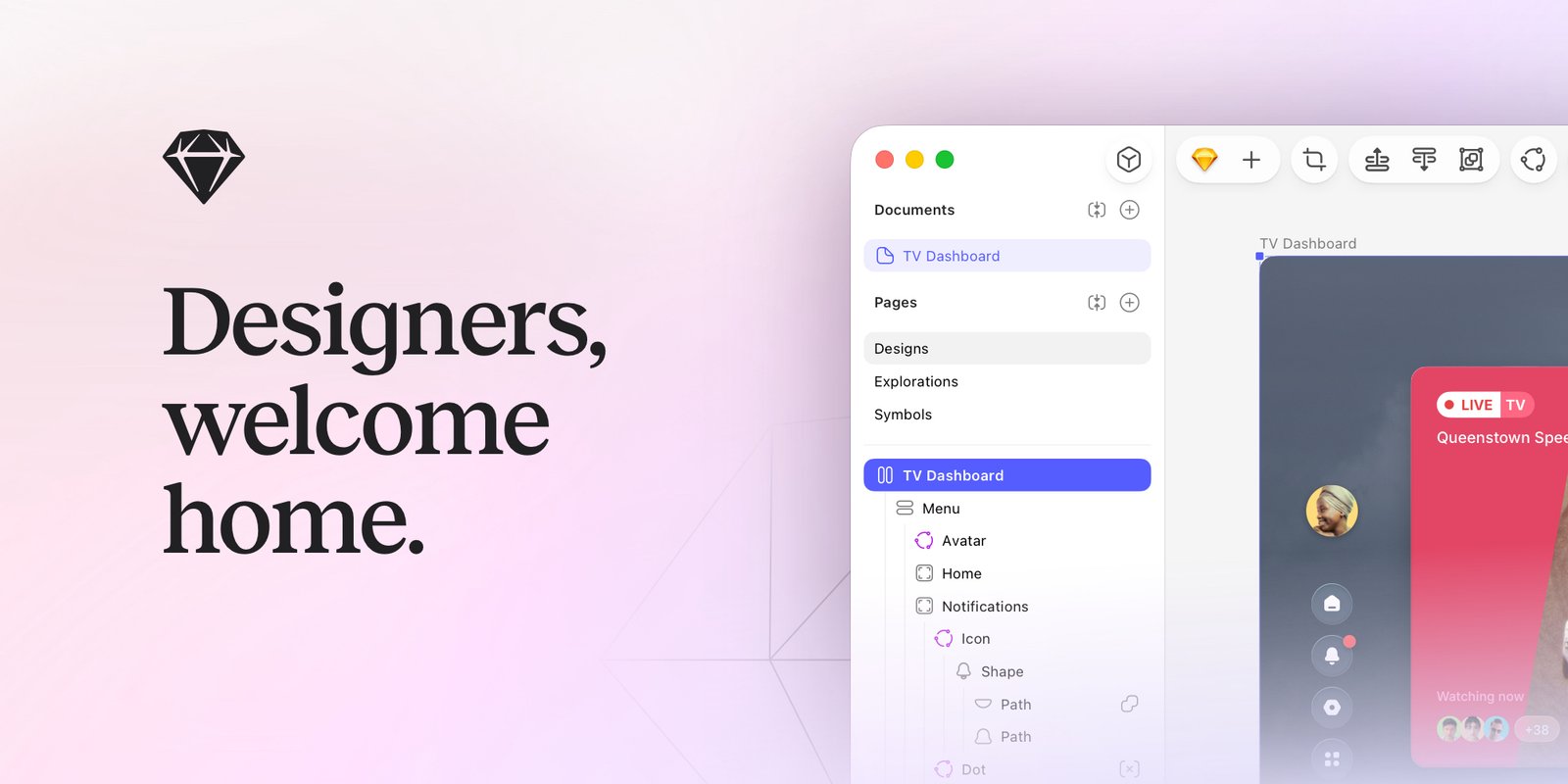
Sketch is a native Mac design and prototyping app with stack layouts, vector editing, components, real-time co-editing, prototyping and free handoff, plus MCP connections to AI tools like Claude and Cursor.

  • graphic design
  • sketch
  • ui design
  • mac design app
  • prototyping
  • vector editor
  • design systems
  • mcp
  • collaboration
  • handoff
Visit Website

Updated Oct 12, 2026

Pricing Paid

Rating No reviews yet

Sketch preview - Graphic Design

Standout Features

What makes Sketch stand out

  • Native, fast Mac app
  • Real-time co-editing
  • Free handoff tools
  • One-time Mac license option

Key Features

What’s in the toolkit?

  • 01

    Stack layouts and nestable frames

  • 02

    Vector editor

  • 03

    Templates and component libraries

  • 04

    Offline work

  • 05

    Real-time co-editing

  • 06

    Smart Animate

  • 07

    Overlays and scroll areas

  • 08

    Password-protected previews

  • 09

    Comments

  • 10

    Free guest editors

  • 11

    Free handoff tools

  • 12

    MCP for Claude and Cursor

  • 13

    macOS app, web app and iOS viewer

What is Sketch?

Designers, welcome home

Sketch is made by designers, for designers, as a fast native macOS app with a web workspace.

Key capabilities

  • Stack layouts and nestable frames.
  • Vector editor and component libraries.
  • Real-time co-editing and offline work.
  • Prototyping with Smart Animate.
  • MCP connection to AI tools.

Who it's for

Mac-based UI designers love Sketch as a focused graphic design tool, with a one-time Mac license option.


Pricing
Paid
Company
Sketch B.V.
Platform Access
2 features

Use Cases

Where teams put it to work

  • 01

    UI and app design

  • 02

    Prototyping

  • 03

    Design systems

  • 04

    Developer handoff

Workflow

How to use Sketch?

  1. 01

    Start a 30-day free trial.

  2. 02

    Download Sketch for Mac.

  1. 03

    Design and prototype.

  2. 04

    Share in the web workspace.

Pros & Cons

Is Sketch right for you?

Pros

3
  • Fast native app
  • Works offline
  • Mac-only license option

Cons

2
  • Mac only for editing
  • No free plan

Pricing

Pricing for Sketch

Paid
  • Standard – $12/editor/month billed yearly.
  • Professional – $24/editor/month billed yearly.
  • Enterprise – $44/editor/month billed yearly.
  • Mac-only license – $120 one-time: with one year of updates.

30-day free trial; free viewers.

Who is it for

Who is Sketch for?

Mac-based UI designers.Product teams.
FAQ

Frequently Asked Questions

Everything you need to know about Sketch before you try it.

Beyond free Viewers and Education, Sketch has no plans for one.

Yes, 50% off yearly Standard or the Mac-only license.

An Admin cancels in the web app's Billing settings.

Cards for Standard and Mac-only, processed by Stripe.

Reviews

Sketch Reviews

Real experiences from people who use Sketch. Share yours to help others choose the right tool.

0.0/5

No reviews yet

5
0%
4
0%
3
0%
2
0%
1
0%

No reviews yet

Have you used Sketch? Be the first to share your experience and help others decide.

Write a review

How would you rate Sketch?

0/2000

Your email is never shown publicly. Reviews appear after a quick check by our team.

Explore More Similar Tools

More tools worth checking out from the same category.

Never Miss a New AI Tool

Subscribe to get the latest AI tools, deals, and resources delivered straight to your inbox — no spam, unsubscribe anytime.