This may take few seconds.

0% Completed

Graphic Design · Freemium
Uizard logo - Graphic Design

Uizard

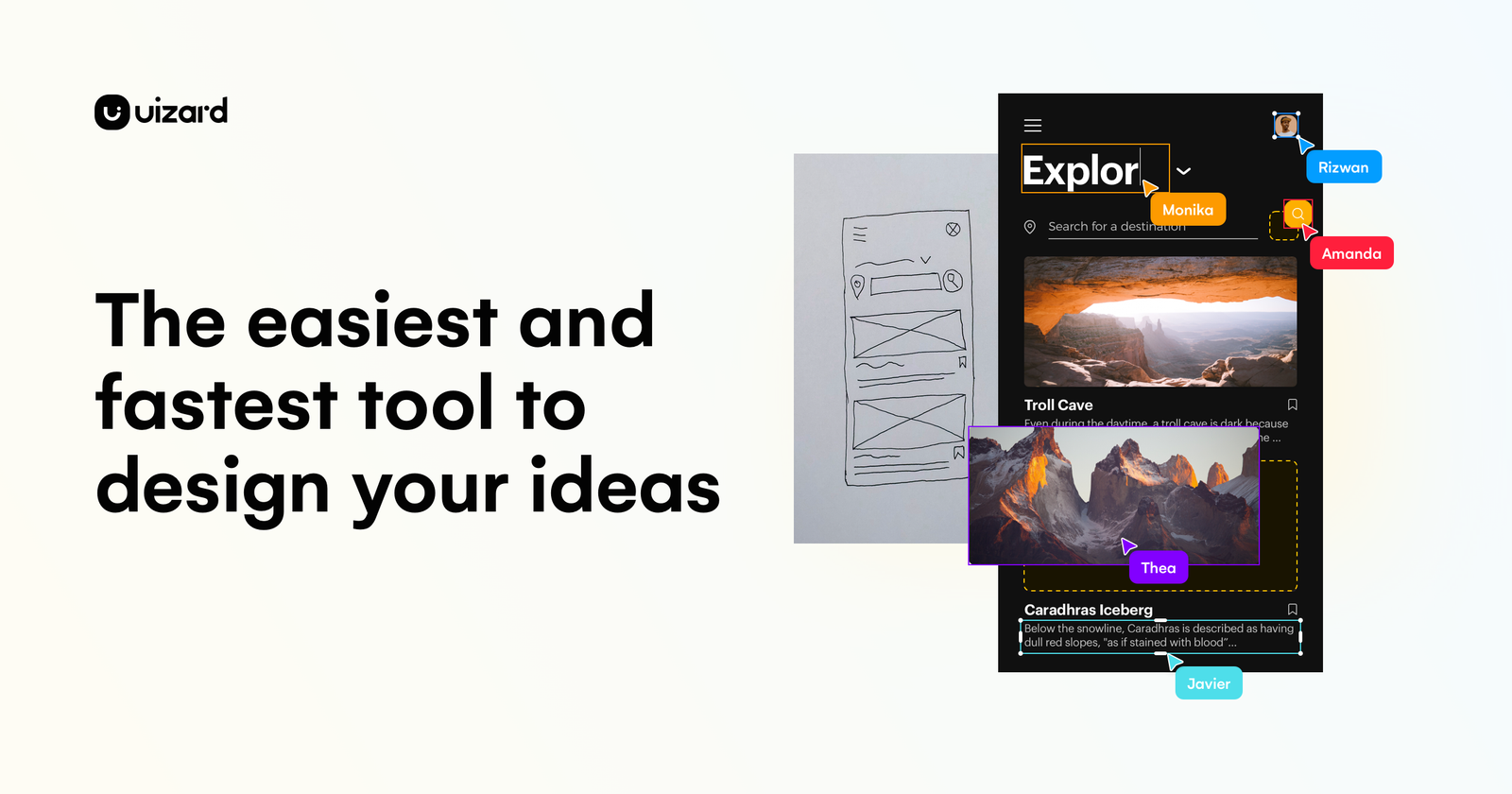
Uizard is an AI UI design tool, now part of Miro, that turns text prompts, screenshots and hand-drawn wireframes into app, web and desktop designs with Autodesigner 2.0, then lets you edit, prototype and hand off code.

  • graphic design
  • uizard
  • ai ui design
  • wireframes
  • prototyping
  • autodesigner
  • mockups
  • miro
  • no code
  • product design
Visit Website

Updated Oct 12, 2026

Pricing Freemium

Rating No reviews yet

Uizard preview - Graphic Design

Standout Features

What makes Uizard stand out

  • Autodesigner 2.0 from text
  • Screenshot and wireframe scanners
  • Easy for non-designers
  • Free plan

Key Features

What’s in the toolkit?

  • 01

    Autodesigner 2.0

  • 02

    Design Assistant

  • 03

    Screenshot Scanner

  • 04

    Wireframe Scanner

  • 05

    Generate prototypes

  • 06

    Modify components

  • 07

    Generate screens

  • 08

    Generate themes

  • 09

    Developer handoff (React, CSS)

  • 10

    Templates

  • 11

    Custom brand kit

  • 12

    Unlimited free viewers

What is Uizard?

Visualize product ideas fast and easy with AI

Uizard helps anyone design interfaces in minutes, even without design experience.

Key capabilities

  • Autodesigner 2.0 for multi-screen designs from text.
  • Screenshot Scanner and Wireframe Scanner.
  • Design Assistant and theme generation.
  • Prototypes and templates.
  • Developer handoff (React, CSS).

Who it's for

Founders, product managers and marketers use Uizard as an easy AI graphic design tool for UI mockups.


Pricing
Freemium
Company
UizardApp ApS (Miro)
Platform Access
1 feature

Use Cases

Where teams put it to work

  • 01

    App mockups

  • 02

    Website wireframes

  • 03

    Product ideation

  • 04

    Pitch prototypes

Workflow

How to use Uizard?

  1. 01

    Sign up at uizard.io.

  2. 02

    Describe your app or upload a screenshot.

  1. 03

    Edit generated screens.

  2. 04

    Share or hand off.

Pros & Cons

Is Uizard right for you?

Pros

3
  • Very easy
  • AI turns sketches into designs
  • Free plan

Cons

2
  • Less control than pro tools
  • Site appears lightly maintained

Pricing

Pricing for Uizard

Freemium
  • Free – $0: 3 AI generations/month, 2 projects.
  • Pro – $12/month billed annually: 500 generations/month.
  • Business – $39/month billed annually: 5,000 generations/month.
  • Enterprise: custom.

Who is it for

Who is Uizard for?

Founders and PMs.Non-designers.UX teams.
Reviews

Uizard Reviews

Real experiences from people who use Uizard. Share yours to help others choose the right tool.

0.0/5

No reviews yet

5
0%
4
0%
3
0%
2
0%
1
0%

No reviews yet

Have you used Uizard? Be the first to share your experience and help others decide.

Write a review

How would you rate Uizard?

0/2000

Your email is never shown publicly. Reviews appear after a quick check by our team.

Explore More Similar Tools

More tools worth checking out from the same category.

Never Miss a New AI Tool

Subscribe to get the latest AI tools, deals, and resources delivered straight to your inbox — no spam, unsubscribe anytime.