This may take few seconds.

0% Completed

AI Video Generators · Freemium
VEED logo - AI Video Generators

VEED

VEED's text to video AI turns prompts, scripts and articles into videos with footage, avatar or voiceover narration and automatic subtitles, plus brand assets, custom avatars, voice cloning and a full online editor.

  • text to video
  • veed
  • ai avatars
  • talking head video
  • subtitles
  • script to video
  • online video editor
  • voice cloning
  • short form video
  • marketing video
Visit Website

Updated Oct 9, 2026

Pricing Freemium

Rating No reviews yet

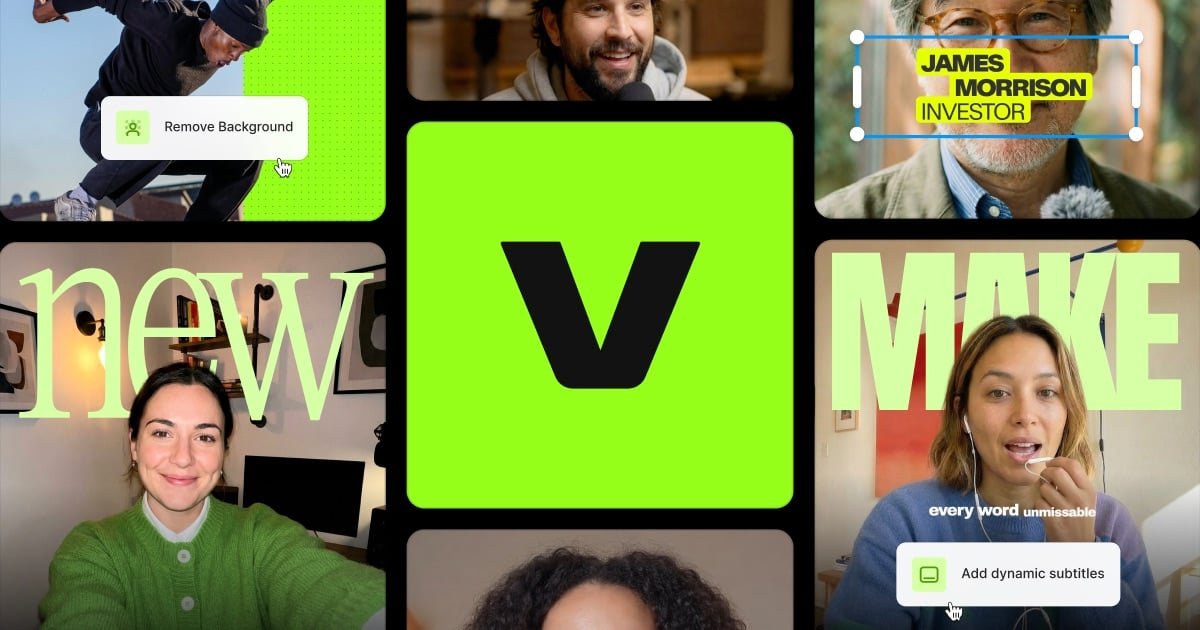
VEED preview - AI Video Generators

Standout Features

What makes VEED stand out

  • Avatar or voiceover narration from text
  • Automatic subtitles
  • Document and article to video
  • Custom avatars and voice cloning

Key Features

What’s in the toolkit?

  • 01

    Prompt and script to video

  • 02

    Article, blog, PPT and PDF to video

  • 03

    AI avatars

  • 04

    Voiceover with many voices and languages

  • 05

    Script and dialogue generator

  • 06

    Automatic subtitles

  • 07

    Stock and generative AI footage

  • 08

    Brand fonts, colors and logos

  • 09

    Custom avatars and voice cloning

  • 10

    Platform resizing

  • 11

    Fabric 1.0, Veo 3 and Sora 2 access

  • 12

    Online video editor

What is VEED?

Type a prompt to create talking-head and short-form videos

VEED is an AI video creation platform, and its Text to Video AI turns prompts or scripts into talking-head and short-form videos with footage, narration and subtitles.

From prompt to finished video

  • Prompt or script-based creation, including articles, blogs, PowerPoint and PDF.
  • Avatar or voiceover narration with many voices, languages and accents.
  • Automatic subtitles and caption styling.
  • Replace footage with your own media, stock clips or generative AI visuals.

A complete AI video workflow

VEED adds a script generator, custom avatars and voice cloning, brand kits, resizing for every platform and access to models like Fabric 1.0, Veo 3 and Sora 2. For marketers and solopreneurs who want fast, on-brand videos, VEED is a strong AI video generator.


Pricing
Freemium
Company
VEED
Platform Access
1 feature

Use Cases

Where teams put it to work

  • 01

    Talking-head marketing videos

  • 02

    Short-form social content

  • 03

    Explainers from articles

  • 04

    Training snippets

  • 05

    Product announcements

Workflow

How to use VEED?

  1. 01

    Open VEED's Text to Video AI (no credit card needed).

  2. 02

    Type a prompt or paste a script or article.

  3. 03

    Choose avatar or voiceover, music and caption style.

  1. 04

    Edit the script and replace footage.

  2. 05

    Export or keep editing in VEED.

Pros & Cons

Is VEED right for you?

Pros

4
  • Fast prompt-to-video workflow
  • Avatars and subtitles built in
  • Full editor for refinement
  • No credit card to start

Cons

2
  • Runs on AI credits that vary by plan
  • Pricing not shown on the tool page

Pricing

Pricing for VEED

Freemium

VEED's Text to Video AI runs on AI credits, with options depending on your plan. You can start without a credit card. Check veed.io/pricing for current plans; Enterprise is available through sales.

Who is it for

Who is VEED for?

Marketers and solopreneurs.Social media creators.Teams producing explainer content.
FAQ

Frequently Asked Questions

Everything you need to know about VEED before you try it.

Enter your idea or script, customize the presenter, voice, music and captions, then preview and export.

It runs on AI credits. Sign up to see your plan's options, and check the pricing page for details.

Clearly structured scripts, such as numbered steps, short paragraphs and direct language. Longer content is split into scenes automatically.

Yes, by pasting the text or uploading a PDF. The AI splits it into scenes, adds visuals and narrates it.

Reviews

VEED Reviews

Real experiences from people who use VEED. Share yours to help others choose the right tool.

0.0/5

No reviews yet

5
0%
4
0%
3
0%
2
0%
1
0%

No reviews yet

Have you used VEED? Be the first to share your experience and help others decide.

Write a review

How would you rate VEED?

0/2000

Your email is never shown publicly. Reviews appear after a quick check by our team.

Explore More Similar Tools

More tools worth checking out from the same category.

Never Miss a New AI Tool

Subscribe to get the latest AI tools, deals, and resources delivered straight to your inbox — no spam, unsubscribe anytime.