
This may take few seconds.

0% Completed

3D Animation Generator · Freemium
Animaze

Animaze

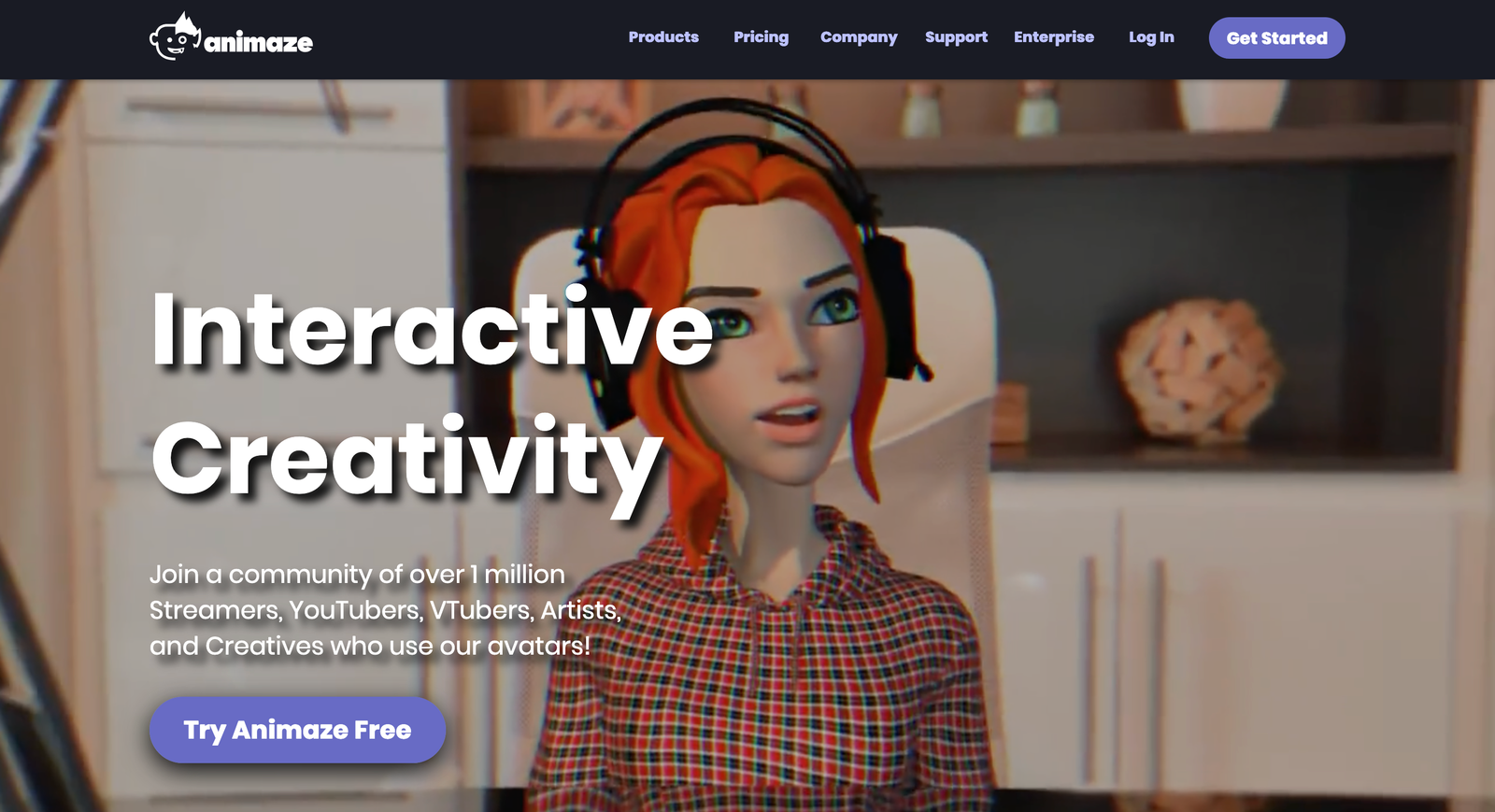
Animaze by Holotech Studios is an avatar app that animates 2D and 3D avatars in real time from your webcam or iPhone for livestreaming, VTubing and video calls, with Live2D, VRM and Ready Player Me support and a virtual camera.

Real-time avatar animation from webcam or iPhoneImports Live2D, VRM and Ready Player Me avatarsVirtual camera for OBS, Zoom and DiscordFree plan with unlimited streaming
Visit Website

Updated Oct 7, 2026

Pricing Freemium

Rating No reviews yet

Key Features

What’s in the toolkit?

  • 01

    Webcam face tracking

  • 02

    iPhone ARKit tracking

  • 03

    Audio lip-sync

  • 04

    Hand and full-body tracking

  • 05

    Live2D, VRM and Ready Player Me import

  • 06

    Avatar, prop and background library

  • 07

    Animaze Editor

  • 08

    Virtual camera

  • 09

    MP4 video export (Plus)

  • 10

    60 FPS streaming (Plus)

  • 11

    7 interface languages

What is Animaze?

Live avatar app for streaming and video calls, by the makers of FaceRig

Animaze, from Holotech Studios, the team behind FaceRig, lets you become a live animated avatar for streams, videos and video calls. More than a million streamers, YouTubers, VTubers and creators use it.

Real-time avatar animation

Animaze tracks your face with a webcam or iPhone (ARKit) and drives your avatar in real time, with expanding support for audio lip-sync, hand and full-body tracking.

Bring any avatar

Choose from a large library of human, animal and object avatars, or import your own Live2D, VRM, Ready Player Me and other models. Add backgrounds, props and emotes, and customize everything in the Animaze Editor.

Works with your apps

A virtual camera connects Animaze to OBS, Streamlabs, Twitch, YouTube, Discord, Zoom, Google Meet and more. With a free plan offering unlimited streaming, it is one of the most accessible 3D animation generator apps for VTubers and creators.

Pricing
Freemium
Company
Holotech Studios
Platform Access
2 features

Use Cases

Where teams put it to work

  • 01

    VTubing and livestreaming

  • 02

    YouTube videos with an avatar

  • 03

    Video calls on Zoom and Meet

  • 04

    TikTok and social content

  • 05

    Privacy-friendly on-camera presence

Workflow

How to use Animaze?

  1. 01

    Download Animaze (available on Steam) and sign in.

  2. 02

    Pick an avatar or import a Live2D, VRM or Ready Player Me model.

  3. 03

    Set up tracking with your webcam or iPhone.

  1. 04

    Add props and backgrounds in the editor.

  2. 05

    Select the Animaze virtual camera in OBS, Zoom or Discord and go live.

Pricing

Pricing for Animaze

Freemium
  • Basic – Free: unlimited streaming with the virtual camera, unlimited custom imports, iPhone ARKit tracking, 80+ free items.
  • Plus – $19.99/month (about $1.67/month billed yearly): no watermark, all original content, 60 FPS, capture window, MP4 export.
  • Pro – $99.99/month (about $8.34/month billed yearly): commercial rights for streamers earning over $6,000/year, beta access, Holotech Originals modifications.

Business and enterprise plans are also available. Check animaze.us for current pricing.

Who is it for

Who is Animaze for?

VTubers and streamers.YouTubers and social creators.Remote workers who want an avatar on calls.Avatar artists building Live2D and 3D models.

Frequently Asked Questions

Animaze supports 7 languages: English, Japanese, Brazilian Portuguese, Russian, Chinese, Korean and Spanish (LATAM).

You can learn how to create and edit your own avatars in Animaze's artist documentation section.

Explore More Similar Tools

More tools worth checking out from the same category.

Never Miss a New AI Tool

Subscribe to get the latest AI tools, deals, and resources delivered straight to your inbox — no spam, unsubscribe anytime.