
This may take few seconds.

0% Completed

AI Email Assistant · Freemium
Gemini in Gmail logo - AI Email Assistant

Gemini in Gmail

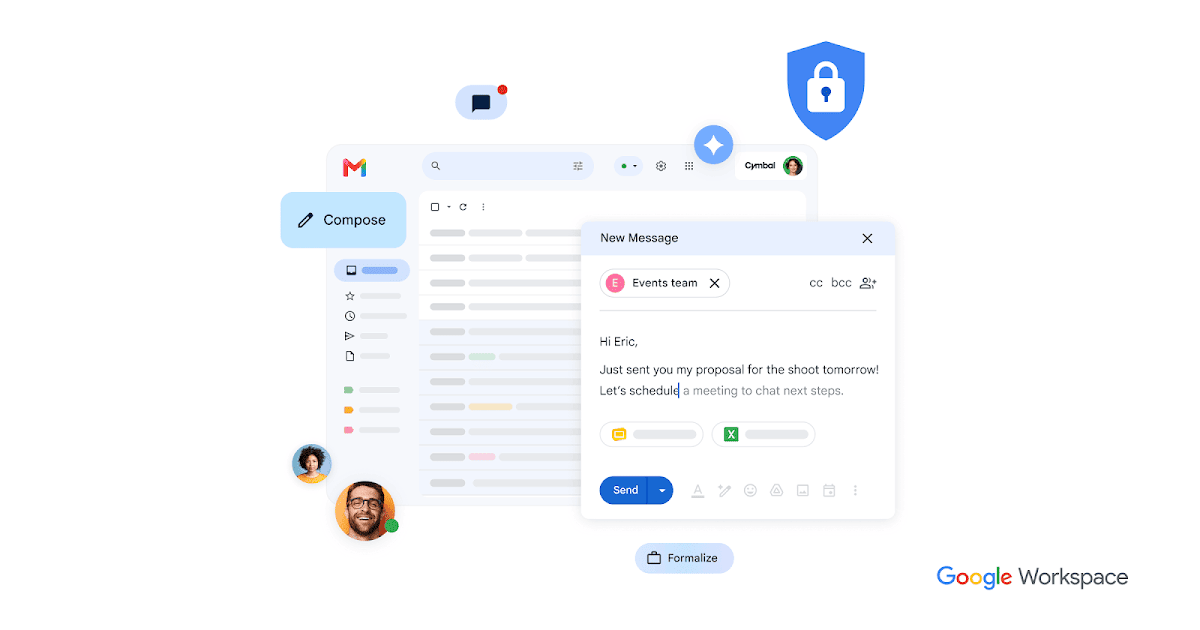
Gemini in Gmail is Google's AI assistant inside Gmail that drafts and replies to emails, summarizes long threads, answers questions across your inbox and Drive, and suggests follow-ups, available with Google Workspace and Google AI plans.

  • ai email assistant
  • gemini in gmail
  • gmail ai
  • google workspace
  • email summaries
  • ai email writer
  • smart reply
  • google
  • inbox search
  • business email
Visit Website

Updated Oct 13, 2026

Pricing Freemium

Rating No reviews yet

Gemini in Gmail preview - AI Email Assistant

Standout Features

What makes Gemini in Gmail stand out

  • Built into Gmail
  • Search answers across Gmail and Drive
  • Thread summaries
  • Included with Workspace

Key Features

What’s in the toolkit?

  • 01

    AI drafting and replies

  • 02

    Thread summaries

  • 03

    Questions across Gmail and Drive

  • 04

    Smart Reply and Smart Compose

  • 05

    Follow-up nudges

  • 06

    Key details for trips and purchases

  • 07

    Custom domain email

  • 08

    Mail merge

  • 09

    Email templates

  • 10

    Spam and phishing protection

  • 11

    Meet, Calendar and Chat integration

What is Gemini in Gmail?

AI-powered, secure, and easy to use email

Gemini in Gmail brings Google's AI into the world's most used email service.

Key capabilities

  • Writing help to draft and reply.
  • Thread summaries.
  • Inbox Q&A across Gmail and Drive.
  • Smart Reply and Smart Compose.
  • Nudges to follow up.

Who it's for

Gemini in Gmail is the default AI email assistant for Gmail and Google Workspace users.

Pricing
Freemium
Company
Google LLC
Platform Access
1 feature

Use Cases

Where teams put it to work

  • 01

    Drafting replies

  • 02

    Catching up on threads

  • 03

    Finding information

  • 04

    Business email

Workflow

How to use Gemini in Gmail?

  1. 01

    Get Google Workspace or a Google AI plan.

  2. 02

    Open Gmail and the Gemini panel.

  1. 03

    Ask to draft or summarize.

  2. 04

    Review and send.

Pros & Cons

Is Gemini in Gmail right for you?

Pros

3
  • Seamless in Gmail
  • Powerful search
  • Trusted security

Cons

2
  • Gemini requires a paid plan
  • Gmail only

Pricing

Pricing for Gemini in Gmail

Freemium
  • Gmail – free: 15 GB storage.
  • Google AI Pro or Ultra: Gemini for personal Gmail.
  • Google Workspace Business plans: Gemini included with Workspace.

See Google's pricing pages for current rates.

Who is it for

Who is Gemini in Gmail for?

Gmail users.Google Workspace teams.
Reviews

Gemini in Gmail Reviews

Real experiences from people who use Gemini in Gmail. Share yours to help others choose the right tool.

0.0/5

No reviews yet

5
0%
4
0%
3
0%
2
0%
1
0%

No reviews yet

Have you used Gemini in Gmail? Be the first to share your experience and help others decide.

Write a review

How would you rate Gemini in Gmail?

0/2000

Your email is never shown publicly. Reviews appear after a quick check by our team.

Explore More Similar Tools

More tools worth checking out from the same category.

Never Miss a New AI Tool

Subscribe to get the latest AI tools, deals, and resources delivered straight to your inbox — no spam, unsubscribe anytime.