This may take few seconds.

0% Completed

Color Palette Generator · Free
image-color-picker-logo

Image Color Picker

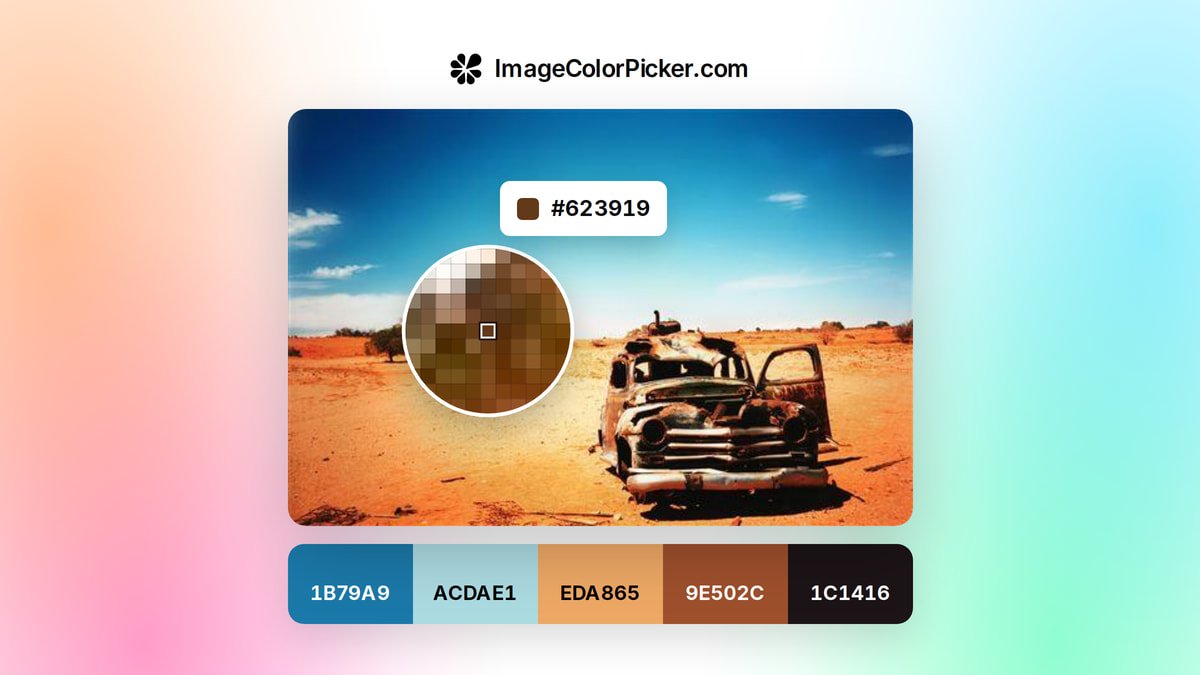
Image Color Picker finds the exact HEX, RGB and HSL color of any pixel in an uploaded, pasted or linked image and builds palettes of up to 12 colors, processed in your browser.

  • color palette generator
  • image color picker
  • eyedropper
  • hex
  • palette from image
  • free
  • no signup
  • designers
  • developers
Visit Website
Updated:
Pricing:
Free
Rating:
No reviews yet
image-color-picker-thumbnail

Standout Features

What makes Image Color Picker stand out

  • Private
  • in-browser processing

Key Features

What’s in the toolkit?

  • 01

    Pick any pixel's color

  • 02

    Upload, paste or image URL

  • 03

    HEX, RGB, HSL and CMYK

  • 04

    Palettes of up to 12 colors

  • 05

    Browser-side processing

What is Image Color Picker?

Free online image color picker

Image Color Picker finds the exact HEX, RGB and HSL color of any pixel in an uploaded, pasted or linked image and builds palettes of up to 12 colors, processed in your browser.

Key capabilities

  • Pick any pixel's color.
  • Upload, paste or image URL.
  • HEX, RGB, HSL and CMYK.
  • Palettes of up to 12 colors.
  • Browser-side processing.

Who it's for

Image Color Picker is a free color palette generator.

Pricing
Free
Company
Image Color Picker
Platform Access
1 feature

Use Cases

Where teams put it to work

  • 01

    Matching brand colors from logos

  • 02

    Palettes from photos

  • 03

    Grabbing screenshot colors

Workflow

How to use Image Color Picker?

  1. 01

    Upload an image or open the page you want to sample.

  2. 02

    Click to pick a color.

  1. 03

    Build a palette from the picks.

  2. 04

    Copy HEX, RGB or HSL values.

Pros & Cons

Is Image Color Picker right for you?

Pros

3
  • Free
  • Private
  • Precise

Cons

2
  • Image-only
  • Basic palette tools

Pricing

Pricing for Image Color Picker

Free

Image Color Picker is 100% free with no sign-up.

Who is it for

Who is Image Color Picker for?

Designers.Developers.Brand and marketing teams.
FAQ

Frequently Asked Questions

Everything you need to know about Image Color Picker before you try it.

Upload, paste or enter a URL, then click the image to get the color code.

Yes, with no signup, and images stay in your browser.

HEX, RGB, HSL, HSV, CMYK and more, with one-click copying.

Reviews

Image Color Picker Reviews

Real experiences from people who use Image Color Picker. Share yours to help others choose the right tool.

0.0/5

No reviews yet

5
0%
4
0%
3
0%
2
0%
1
0%

No reviews yet

Have you used Image Color Picker? Be the first to share your experience and help others decide.

Write a review

How would you rate Image Color Picker?

0/2000

Your email is never shown publicly. Reviews appear after a quick check by our team.

Explore More Similar Tools

More tools worth checking out from the same category.

Never Miss a New AI Tool

Subscribe to get the latest AI tools, deals, and resources delivered straight to your inbox — no spam, unsubscribe anytime.