
This may take few seconds.

0% Completed

AI Email Assistant · Paid
Inbox Zero logo - AI Email Assistant

Inbox Zero

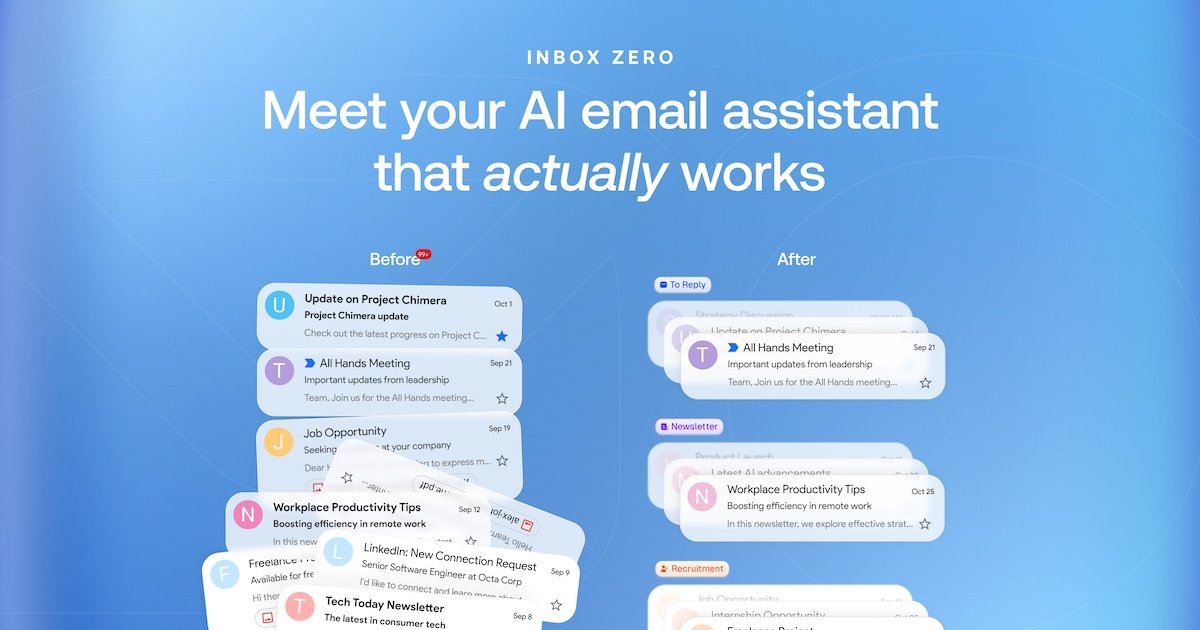
Inbox Zero is an open-source AI email assistant for Gmail and Outlook that labels and sorts mail, drafts replies in your style using your calendar and CRM, follows plain-English rules, blocks cold email and bulk unsubscribes.

  • ai email assistant
  • inbox zero
  • open source
  • gmail
  • outlook
  • ai drafts
  • cold email blocker
  • bulk unsubscribe
  • email rules
  • self hosted
Visit Website

Updated Oct 13, 2026

Pricing Paid

Rating No reviews yet

Inbox Zero preview - AI Email Assistant

Standout Features

What makes Inbox Zero stand out

  • Open source and self-hostable
  • Drafts using calendar and CRM
  • Plain-English rules
  • SOC 2 Type 2

Key Features

What’s in the toolkit?

  • 01

    AI labeling and sorting

  • 02

    Drafts in your writing style

  • 03

    Calendar and CRM context

  • 04

    Plain-English rules

  • 05

    Cold email blocking

  • 06

    Bulk unsubscribe and archive

  • 07

    Email analytics

  • 08

    Pre-meeting briefings

  • 09

    Meeting notetaker (Plus)

  • 10

    Digests

  • 11

    Slack, Telegram and mobile

  • 12

    Gmail and Outlook

  • 13

    Built-in email client

What is Inbox Zero?

Meet your AI email assistant that actually works

Inbox Zero is an AI email assistant you can also self-host.

Key capabilities

  • Auto labeling and sorting.
  • Drafts in your style.
  • Plain-English rules.
  • Cold email blocker.
  • Bulk unsubscribe.

Who it's for

Inbox Zero is a transparent, open-source AI email assistant.

Pricing
Paid
Company
Inbox Zero
Platform Access
3 features

Use Cases

Where teams put it to work

  • 01

    Inbox triage

  • 02

    Faster replies

  • 03

    Founders and executives

Workflow

How to use Inbox Zero?

  1. 01

    Connect Gmail or Outlook.

  2. 02

    Write rules in plain English.

  1. 03

    Review AI drafts.

  2. 04

    Unsubscribe in bulk.

Pros & Cons

Is Inbox Zero right for you?

Pros

3
  • Open source
  • Powerful rules
  • Privacy commitments

Cons

2
  • No free plan
  • Card required for trial

Pricing

Pricing for Inbox Zero

Paid
  • Starter – $18/user/month.
  • Plus – $28/user/month: 2 accounts, notetaker.
  • Professional – $42/user/month.
  • Enterprise: custom.

7-day free trial; 14-day refund window.

Who is it for

Who is Inbox Zero for?

Founders.Busy professionals.Developers.
FAQ

Frequently Asked Questions

Everything you need to know about Inbox Zero before you try it.

Gmail, Google Workspace and Microsoft Outlook.

No; it works inside Gmail or Outlook, with an optional client.

Yes, on GitHub.

Yes, within 14 days of upgrading.

Yes, via a 7-day trial.

Reviews

Inbox Zero Reviews

Real experiences from people who use Inbox Zero. Share yours to help others choose the right tool.

0.0/5

No reviews yet

5
0%
4
0%
3
0%
2
0%
1
0%

No reviews yet

Have you used Inbox Zero? Be the first to share your experience and help others decide.

Write a review

How would you rate Inbox Zero?

0/2000

Your email is never shown publicly. Reviews appear after a quick check by our team.

Explore More Similar Tools

More tools worth checking out from the same category.

Never Miss a New AI Tool

Subscribe to get the latest AI tools, deals, and resources delivered straight to your inbox — no spam, unsubscribe anytime.