This may take few seconds.

0% Completed

AI Image Generator · Freemium
Pixlr logo - AI Image Generator

Pixlr

Pixlr AI Image Generator is Pixlr's text-to-image tool with FLUX, Stable Diffusion XL and Nano Banana 2 models, 16 styles, lighting and composition presets, reference images and one-click handoff to Pixlr's photo editor.

  • ai image generator
  • pixlr
  • text to image
  • free ai image generator
  • flux
  • photo editor
  • ai styles
  • mobile app
  • budget
  • online editor
Visit Website

Updated Oct 9, 2026

Pricing Freemium

Rating No reviews yet

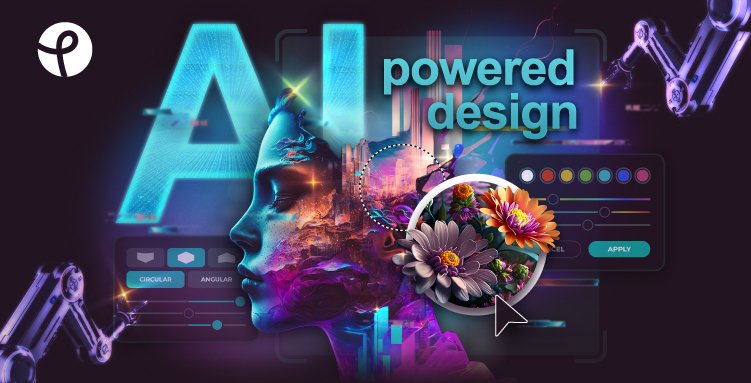
Pixlr preview - AI Image Generator

Standout Features

What makes Pixlr stand out

  • FLUX, SDXL and Nano Banana 2 models
  • Built into Pixlr's photo editor
  • Very low-cost plans
  • Web, mobile and desktop

Key Features

What’s in the toolkit?

  • 01

    FLUX Schnell, Dev and Dev Ultra

  • 02

    Stable Diffusion XL

  • 03

    Nano Banana 2

  • 04

    1–8 images per generation

  • 05

    16 styles

  • 06

    Lighting, composition and color presets

  • 07

    5 aspect ratios

  • 08

    Reference image upload

  • 09

    Prompt templates

  • 10

    Private mode

  • 11

    Edit in Pixlr Express

What is Pixlr?

Free AI image generator — text to image online

Pixlr's AI Image Generator is part of Pixlr's online photo editing suite, turning text into images you can edit right away.

Features

  • Models: FLUX Schnell, FLUX Dev, FLUX Dev Ultra, SDXL and Nano Banana 2.
  • 1–8 images per generation.
  • 16 styles plus lighting, composition and color presets.
  • Reference image upload and prompt templates.
  • Edit Image handoff to Pixlr Express.

Affordable plans

Pixlr works on web, mobile and desktop with very low-cost plans and a free trial. It is a budget-friendly AI image generator with a full editor attached.


Pricing
Freemium
Company
Pixlr Pte Ltd
Platform Access
2 features

Use Cases

Where teams put it to work

  • 01

    Quick social images

  • 02

    Photo editing workflows

  • 03

    Thumbnails

  • 04

    Personal projects

Workflow

How to use Pixlr?

  1. 01

    Open pixlr.com/image-generator.

  2. 02

    Pick a model and style.

  1. 03

    Enter a prompt and generate.

  2. 04

    Edit in Pixlr or download.

Pros & Cons

Is Pixlr right for you?

Pros

4
  • Very affordable
  • Integrated photo editor
  • Multiple models
  • Cross-platform

Cons

2
  • Free credits are limited
  • Fewer premium models than some rivals

Pricing

Pricing for Pixlr

Freemium
  • Plus – $2.49/month ($1.99 yearly): 80 credits/month.
  • Premium – $9.99/month ($7.99 yearly): 1,000 credits, all models.
  • Ultra – from $24.99/month ($19.99 yearly): up to 10,000 credits.
  • Free: 20 images for new users plus a 250-credit trial.

Who is it for

Who is Pixlr for?

Casual creators.Pixlr users.Budget-conscious designers.
FAQ

Frequently Asked Questions

Everything you need to know about Pixlr before you try it.

There's a free tier and a 250-credit trial, and new users get 20 images.

Pixlr claims no copyright over generated images; follow the terms of use.

Yes, each output is one of a kind.

Prompts are reviewed automatically, and unsafe content can be reported.

Reviews

Pixlr Reviews

Real experiences from people who use Pixlr. Share yours to help others choose the right tool.

0.0/5

No reviews yet

5
0%
4
0%
3
0%
2
0%
1
0%

No reviews yet

Have you used Pixlr? Be the first to share your experience and help others decide.

Write a review

How would you rate Pixlr?

0/2000

Your email is never shown publicly. Reviews appear after a quick check by our team.

Explore More Similar Tools

More tools worth checking out from the same category.

Never Miss a New AI Tool

Subscribe to get the latest AI tools, deals, and resources delivered straight to your inbox — no spam, unsubscribe anytime.