This may take few seconds.

0% Completed

AI Image Generator · Freemium
Raphael AI logo - AI Image Generator

Raphael AI

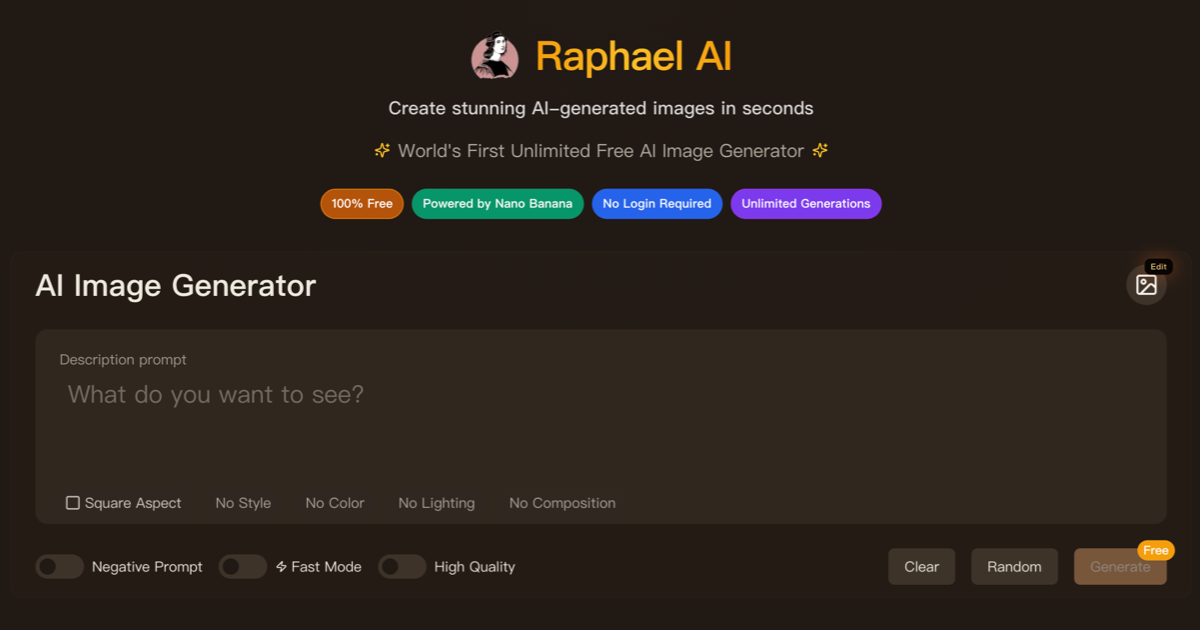
Raphael AI is a free AI image generator with no login required that routes prompts to models like Nano Banana, GPT Image 2.5 and Seedream 5.0, with up to 6 reference images, an image editor, background removal, expand and upscaling.

  • ai image generator
  • raphael ai
  • free ai image generator
  • no login
  • nano banana
  • gpt image
  • seedream
  • image editor
  • upscaler
  • text to image
Visit Website

Updated Oct 9, 2026

Pricing Freemium

Rating No reviews yet

Raphael AI preview - AI Image Generator

Standout Features

What makes Raphael AI stand out

  • Free with no login
  • Nano Banana, GPT Image and Seedream models
  • Up to 6 reference images
  • Editing and upscaling tools

Key Features

What’s in the toolkit?

  • 01

    Free Basic mode

  • 02

    Nano Banana, Nano Banana 2 and Pro

  • 03

    GPT Image 2 and 2.5

  • 04

    Seedream 4.0, 4.5 and 5.0

  • 05

    Qwen-Image

  • 06

    Up to 4 images per prompt

  • 07

    Up to 6 reference images

  • 08

    3,000-character prompts

  • 09

    Up to 2K for signed-in users

  • 10

    Image editor

  • 11

    Background remover

  • 12

    Image expand

  • 13

    Image upscaler

  • 14

    Style transfer

What is Raphael AI?

Create stunning images in seconds

Raphael AI is a free web image generator that picks a suitable model for each prompt, with optional paid plans for premium models.

Features

  • Free Basic mode with images in about 8 seconds.
  • Models: Nano Banana family, GPT Image 2 and 2.5, Seedream 4.x and 5.0, Qwen-Image.
  • Up to 6 reference images and 3,000-character prompts.
  • Image Editor, background remover and image expand.
  • Upscaler and style transfer.

Free to start

No login is needed for Basic mode, while paid plans remove watermarks and allow commercial use. Raphael is an easy free AI image generator for quick results.

Pricing
Freemium
Company
Raphael AI
Platform Access
1 feature

Use Cases

Where teams put it to work

  • 01

    Quick free images

  • 02

    Social posts

  • 03

    Concept sketches

  • 04

    Photo edits

Workflow

How to use Raphael AI?

  1. 01

    Open raphael.app.

  2. 02

    Type a prompt (no login needed).

  1. 03

    Add references if you like.

  2. 04

    Generate and download.

Pros & Cons

Is Raphael AI right for you?

Pros

3
  • Free with no signup
  • Fast generation
  • Premium models available

Cons

2
  • Free images are watermarked and non-commercial
  • Company details aren't disclosed

Pricing

Pricing for Raphael AI

Freemium
  • Free: unlimited Basic mode, watermark, non-commercial.
  • Pro – $10/month: 2,000 credits.
  • Ultimate – $20/month: 5,000 credits.
  • Max – $40/month: 10,000 credits.

Paid plans have no watermark and allow commercial use.

Who is it for

Who is Raphael AI for?

Casual users.Social creators.
FAQ

Frequently Asked Questions

Everything you need to know about Raphael AI before you try it.

Yes, with no hidden fees or credit card required.

No.

Yes, in mobile browsers; apps are in development.

Email support@raphael.app.

Reviews

Raphael AI Reviews

Real experiences from people who use Raphael AI. Share yours to help others choose the right tool.

0.0/5

No reviews yet

5
0%
4
0%
3
0%
2
0%
1
0%

No reviews yet

Have you used Raphael AI? Be the first to share your experience and help others decide.

Write a review

How would you rate Raphael AI?

0/2000

Your email is never shown publicly. Reviews appear after a quick check by our team.

Explore More Similar Tools

More tools worth checking out from the same category.

Never Miss a New AI Tool

Subscribe to get the latest AI tools, deals, and resources delivered straight to your inbox — no spam, unsubscribe anytime.