This may take few seconds.

0% Completed

AI Image Generator · Freemium
Pollo AI logo - AI Image Generator

Pollo AI

Pollo AI's image generator offers 30+ models including GPT Image 2.5, Nano Banana 2, Seedream 5.0, Kling 3.0, Grok Imagine, FLUX and Ideogram, plus image to image, chat to image, expand, object removal, upscaling and face swap.

  • ai image generator
  • pollo ai
  • multi model
  • gpt image
  • nano banana
  • seedream
  • face swap
  • ai photo editor
  • image upscaler
  • api
Visit Website

Updated Oct 9, 2026

Pricing Freemium

Rating No reviews yet

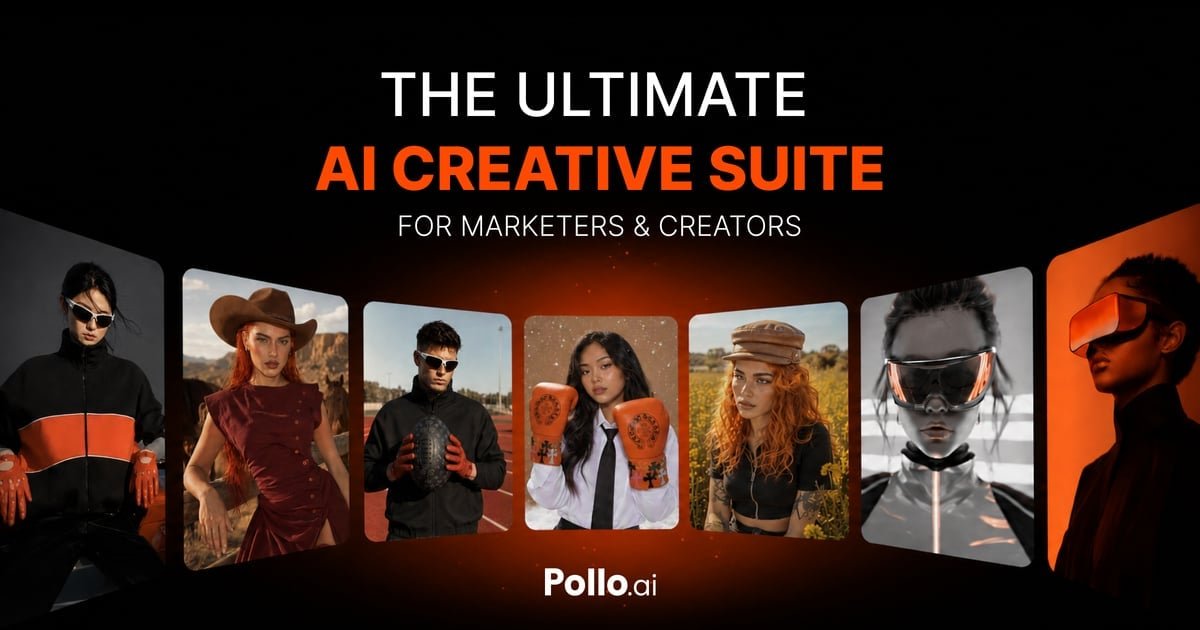
Pollo AI preview - AI Image Generator

Standout Features

What makes Pollo AI stand out

  • 30+ image models in one place
  • Chat to image
  • Full editing toolkit
  • Web, mobile and API

Key Features

What’s in the toolkit?

  • 01

    30+ image models

  • 02

    GPT Image 2.5 and GPT Image 2

  • 03

    Nano Banana 2

  • 04

    Seedream 5.0 and 5.0 Lite

  • 05

    Kling 3.0

  • 06

    Grok Imagine Image

  • 07

    FLUX and Flux Kontext

  • 08

    Ideogram, Recraft, Imagen and Qwen Image

  • 09

    Image to image

  • 10

    Chat to image

  • 11

    AI photo editor

  • 12

    Expand image

  • 13

    Object, watermark and background remover

  • 14

    Image upscaler

  • 15

    Face swap

  • 16

    API, MCP and CLI

What is Pollo AI?

The ultimate AI creative suite for creators and marketers

Pollo AI is a creative suite that brings many leading image and video models together for creators and marketers.

Image tools

  • AI Image Generator with 30+ models such as GPT Image 2.5, Nano Banana 2, Seedream 5.0 and FLUX.
  • Image to Image and Chat to Image.
  • AI Photo Editor and Expand Image.
  • Object and watermark remover, background remover.
  • Upscaler and face swap.

Apps and API

Pollo AI runs on web, iOS and Android with an API, MCP and CLI. Free credits for new users make it an easy-to-try multi-model AI image generator.


Pricing
Freemium
Company
COCOSOFT TECHNOLOGY PTE. LTD.
Platform Access
3 features

Use Cases

Where teams put it to work

  • 01

    Marketing creatives

  • 02

    Social content

  • 03

    Photo edits

  • 04

    Product images

Workflow

How to use Pollo AI?

  1. 01

    Sign up at pollo.ai.

  2. 02

    Open the AI Image Generator.

  3. 03

    Choose a model and enter a prompt.

  1. 04

    Edit or upscale.

  2. 05

    Download.

Pros & Cons

Is Pollo AI right for you?

Pros

3
  • Huge model selection
  • Free starter credits
  • Mobile apps and API

Cons

2
  • Commercial use only on paid plans
  • Unused subscription credits don't roll over

Pricing

Pricing for Pollo AI

Freemium
  • Free: starter credits, watermark.
  • Lite – about $15/month: 300 credits.
  • Pro – about $29/month: 800 credits.

Prices from a third-party review (August 2026); check pollo.ai for current plans.

Who is it for

Who is Pollo AI for?

Marketers.Content creators.Developers.
FAQ

Frequently Asked Questions

Everything you need to know about Pollo AI before you try it.

Yes, new users get free credits.

Only on paid plans.

No, unused subscription credits do not carry over.

No, the price you see is the price you pay.

Refunds are available within 3 days of your first purchase; add-on credits are non-refundable but don't expire.

Reviews

Pollo AI Reviews

Real experiences from people who use Pollo AI. Share yours to help others choose the right tool.

0.0/5

No reviews yet

5
0%
4
0%
3
0%
2
0%
1
0%

No reviews yet

Have you used Pollo AI? Be the first to share your experience and help others decide.

Write a review

How would you rate Pollo AI?

0/2000

Your email is never shown publicly. Reviews appear after a quick check by our team.

Explore More Similar Tools

More tools worth checking out from the same category.

Never Miss a New AI Tool

Subscribe to get the latest AI tools, deals, and resources delivered straight to your inbox — no spam, unsubscribe anytime.