This may take few seconds.

0% Completed

AI Background Remover · Freemium
Fotor

Fotor

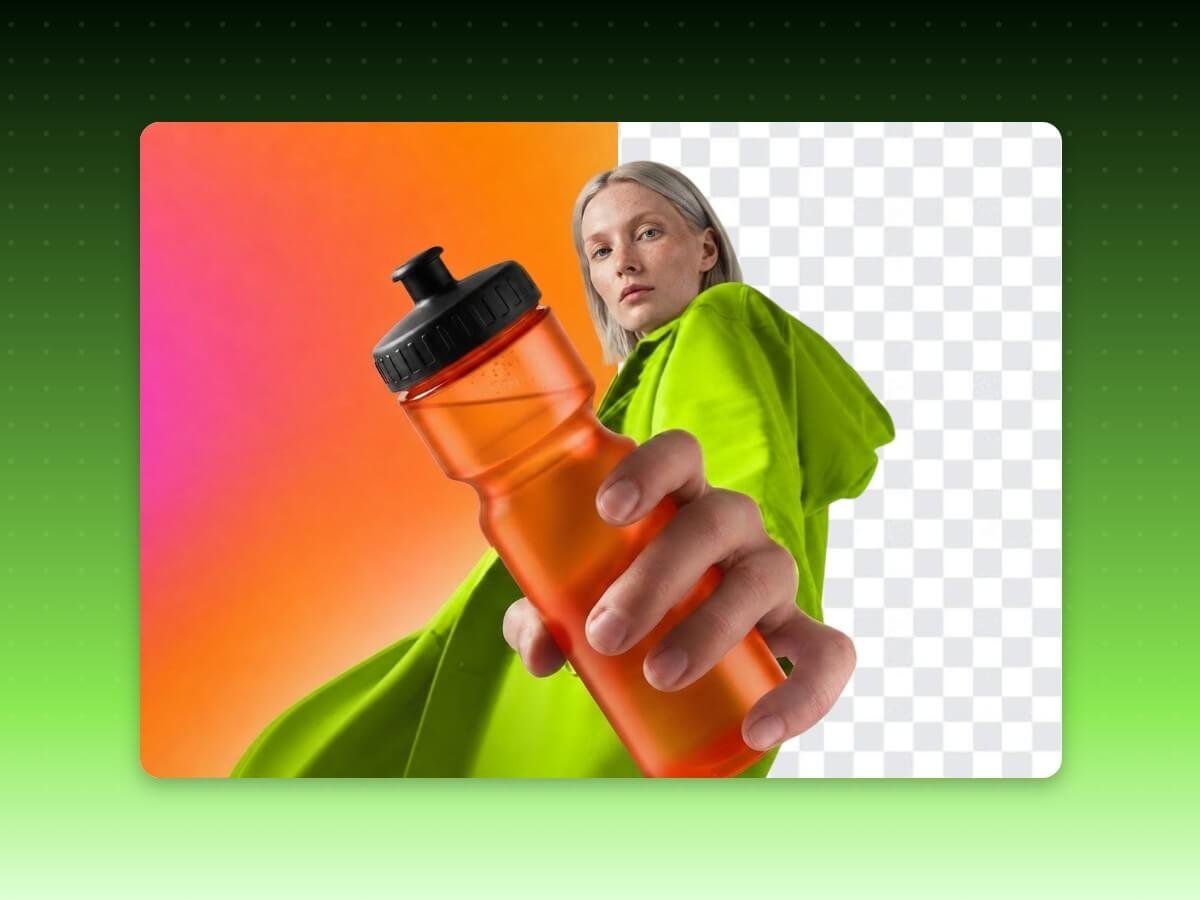
Fotor's free AI background remover makes precise cutouts with transparent PNG and HD exports, supports files up to 60 MB, batches of 50 images and video background removal, with web, desktop and mobile apps.

Free HD exports with no sign-up or watermarkFiles up to 60 MB and 8192 x 8192 pxBatch up to 50 imagesVideo background removal
Visit Website

Updated Oct 8, 2026

Pricing Freemium

Rating No reviews yet

Key Features

What’s in the toolkit?

  • 01

    Automatic AI background removal

  • 02

    Magic brush touch-ups

  • 03

    Transparent PNG and HD export

  • 04

    Up to 60 MB and 8192 x 8192 px

  • 05

    JPG, PNG, HEIC, HEIF and WebP

  • 06

    Batch up to 50 images

  • 07

    Video background removal (MP4, MOV)

  • 08

    Background remover API

  • 09

    Change background with AI

  • 10

    Web, Windows, Mac, iOS and Android

  • 11

    AI enhancer, upscaler and object remover

What is Fotor?

Remove backgrounds in seconds with free HD exports, no sign-up

Fotor, by Everimaging, offers a free online background remover that uses AI to cut out subjects in seconds, with transparent PNG and HD exports and no sign-up or watermark.

Precise cutouts

  • Automatic subject detection with fine detail on hair, fur and semi-transparent objects.
  • Magic brush for touch-ups.
  • Files up to 60 MB and 8192 × 8192 px in JPG, PNG, HEIC, HEIF and WebP.
  • Swap in white, custom or AI-generated backgrounds.

More than images

Process up to 50 images per batch, remove backgrounds from MP4 and MOV videos, and integrate the remover via API. Fotor works on web, Windows, Mac, iOS and Android, alongside AI enhancement, upscaling, object removal and design tools, making it an all-round AI background remover.


Pricing
Freemium
Company
Everimaging (Fotor)
Platform Access
3 features

Use Cases

Where teams put it to work

  • 01

    Product photos

  • 02

    Portraits and passport photos

  • 03

    Logos and digital art

  • 04

    Real estate images

  • 05

    Social media content

  • 06

    Short videos

Workflow

How to use Fotor?

  1. 01

    Open Fotor's background remover (no sign-up needed).

  2. 02

    Upload your image or a batch of up to 50.

  3. 03

    Let the AI remove the background.

  1. 04

    Touch up with the magic brush or add a new background.

  2. 05

    Download a transparent PNG or HD image.

Pricing

Pricing for Fotor

Freemium

Fotor's background remover is free. Fotor also offers Basic (free), Pro, Pro+ and Max plans with AI credits for advanced tools. Check fotor.com/pricing for current prices.

Who is it for

Who is Fotor for?

Online sellers.Social media creators.Individuals making passport and profile photos.Developers using the API.

Frequently Asked Questions

Yes, it is free with no sign-up required.

JPG, JPEG, PNG, WebP, HEIC and HEIF, up to 60 MB and 8192 × 8192 px.

Yes, through your browser or the Fotor app on iPhone, Android or tablet.

No, quality is preserved. The AI enhancer can upscale low-quality originals.

Yes, up to 50 images per batch.

Explore More Similar Tools

More tools worth checking out from the same category.

Never Miss a New AI Tool

Subscribe to get the latest AI tools, deals, and resources delivered straight to your inbox — no spam, unsubscribe anytime.





