
This may take few seconds.

0% Completed

AI Background Remover · Freemium
Kapwing

Kapwing

Kapwing is an online video editor with an AI Video Background Remover that removes backgrounds in one click without a green screen, plus Chroma Key, stock backgrounds, subtitles and AI editing tools.

One-click AI video background removalNo green screen requiredFree Chroma Key toolFull AI video editor in the browser
Visit Website

Updated Oct 8, 2026

Pricing Freemium

Rating No reviews yet

Key Features

What’s in the toolkit?

  • 01

    AI video background removal

  • 02

    Replace with color, image, video or stock footage

  • 03

    Chroma Key

  • 04

    MP4, MOV and WebM support

  • 05

    Subtitles and transcription

  • 06

    Smart Cut

  • 07

    Clean Audio

  • 08

    AI dubbing

  • 09

    AI video generator

  • 10

    Brand Kit

  • 11

    Real-time collaboration

  • 12

    Export to MP4, GIF, MP3 and PNG

What is Kapwing?

Remove video backgrounds in one click, no green screen needed

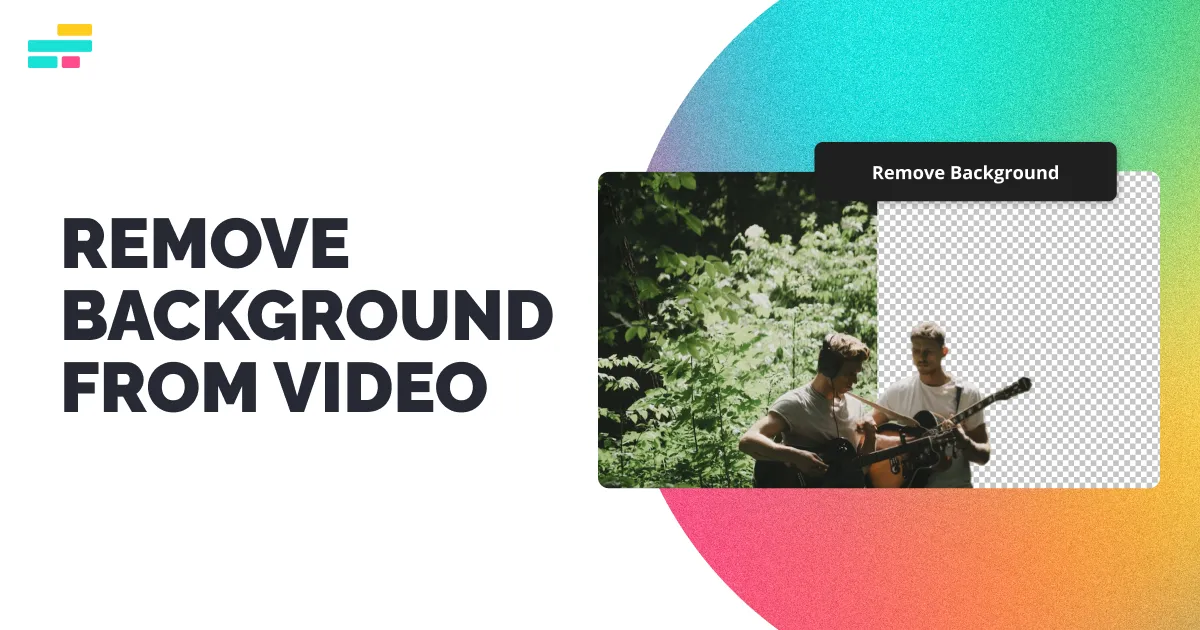
Kapwing is an online video editing platform used by more than 35 million creators, and its Video Background Remover uses AI to remove a video's background in one click, with no green screen required.

Swap backgrounds in your videos

  • One-click AI removal in the Effects tab.
  • Replace backgrounds with a solid color, image, video or stock footage.
  • Chroma Key for green, blue or other solid backgrounds, with adjustable threshold.
  • Works with MP4, MOV, WebM and more.

A full AI video editor

Kapwing adds subtitles, Smart Cut, Clean Audio, dubbing, AI video generation, brand kits and real-time collaboration, all in the browser and on mobile web. For creators who need to remove backgrounds from video rather than photos, Kapwing is a leading AI background remover.


Pricing
Freemium
Company
Kapwing
Platform Access
2 features

Use Cases

Where teams put it to work

  • 01

    Talking-head videos

  • 02

    Social media clips

  • 03

    Marketing videos

  • 04

    YouTube content

  • 05

    Presentations and explainers

Workflow

How to use Kapwing?

  1. 01

    Upload your video to Kapwing.

  2. 02

    Open the Effects tab and click Remove Background.

  3. 03

    Choose a new background (color, image, video or stock).

  1. 04

    Edit with subtitles, trims and effects.

  2. 05

    Export as MP4 or GIF.

Pricing

Pricing for Kapwing

Freemium
  • Free – $0: 10 credits, 720p, watermark on exports.
  • Pro – $24/month or $16/month billed annually: 1,000 credits, 4K, no watermark.
  • Business – $64/month or $50/month billed annually: 4,000 credits, voice clones and lip sync.
  • Enterprise: custom.

Check kapwing.com/pricing for current rates.

Who is it for

Who is Kapwing for?

Content creators and YouTubers.Social media marketers.Teams collaborating on video.

Frequently Asked Questions

It is free to try after registering with an email. Full use and personal exports require a paid plan.

Yes on Free accounts. Pro accounts have no watermark.

Yes. The background is removed in the video editor with one click.

Yes, it's free in the Effects tab alongside the Background Remover.

MP4, MOV, WebM and more. Videos can be exported as MP4, GIF, MP3 or PNG.

Upload in your browser, tap Edit video, open the Effects tab and choose Remove background.

Explore More Similar Tools

More tools worth checking out from the same category.

Never Miss a New AI Tool

Subscribe to get the latest AI tools, deals, and resources delivered straight to your inbox — no spam, unsubscribe anytime.





