
This may take few seconds.

0% Completed

AI Background Remover · Freemium
Phot.AI

Phot.AI

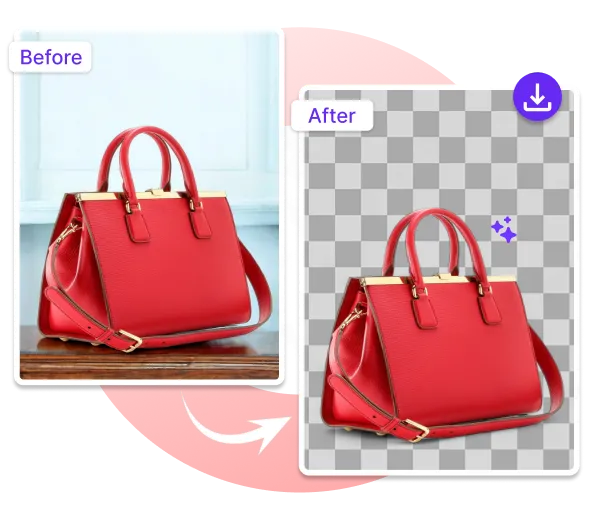
Phot.AI's AI Background Remover automatically removes photo backgrounds in under 3 seconds with transparent or colored output and batch processing, as part of an AI visual platform for e-commerce with an API and mobile apps.

Background removal in under 3 secondsBatch processing for catalogsE-commerce tools like ListingLab and AngleLabFree Starter plan with monthly credits
Visit Website

Updated Oct 8, 2026

Pricing Freemium

Rating No reviews yet

Key Features

What’s in the toolkit?

  • 01

    Automatic background removal

  • 02

    Transparent or color backgrounds

  • 03

    Preview before download

  • 04

    Batch removal

  • 05

    JPG and PNG up to 5 MB

  • 06

    AI Object Remover

  • 07

    AI Photo Restoration

  • 08

    AngleLab

  • 09

    ListingLab

  • 10

    VideoLab

  • 11

    Developer API

  • 12

    iOS and Android apps

What is Phot.AI?

Instant AI background removal with e-commerce visual tools

Phot.AI is an AI visual content platform for e-commerce and marketing, and its AI Background Remover automatically detects the subject and removes the background with no manual selection.

Fast cutouts

  • Automatic removal in under 3 seconds.
  • Transparent or solid-color backgrounds with a preview before download.
  • Batch removal for e-commerce, photography and design workflows.
  • Accepts JPG and PNG up to 5 MB.

Built for product content

Phot.AI adds AI Object Remover, photo restoration, AngleLab, ListingLab, VideoLab and brand intelligence tools, plus a developer API and apps for iOS and Android. With a free Starter plan, it is a practical AI background remover for online sellers and marketing teams.


Pricing
Freemium
Company
Phot.AI
Platform Access
2 features

Use Cases

Where teams put it to work

  • 01

    E-commerce product listings

  • 02

    Marketing creatives

  • 03

    Photography workflows

  • 04

    Catalog editing

Workflow

How to use Phot.AI?

  1. 01

    Open Phot.AI's Background Remover.

  2. 02

    Upload a JPG or PNG up to 5 MB.

  3. 03

    Apply background removal.

  1. 04

    Choose transparent or a color and preview.

  2. 05

    Download your image.

Pricing

Pricing for Phot.AI

Freemium
  • Starter – free: 500 credits/month, 1 seat, 2 GB storage.
  • Pro: 1,500 credits/month, 10 GB storage.
  • Team Pro: 1,500 credits/month per seat, 2+ seats.
  • Enterprise: custom pricing.

Annual plans include 2 months free. Check phot.ai for current prices.

Who is it for

Who is Phot.AI for?

Online sellers.Marketing teams.Developers using the API.

Frequently Asked Questions

Upload your image, apply the background removal and download the result.

Explore More Similar Tools

More tools worth checking out from the same category.

Never Miss a New AI Tool

Subscribe to get the latest AI tools, deals, and resources delivered straight to your inbox — no spam, unsubscribe anytime.





