
This may take few seconds.

0% Completed

AI Background Remover · Freemium
Picsart

Picsart

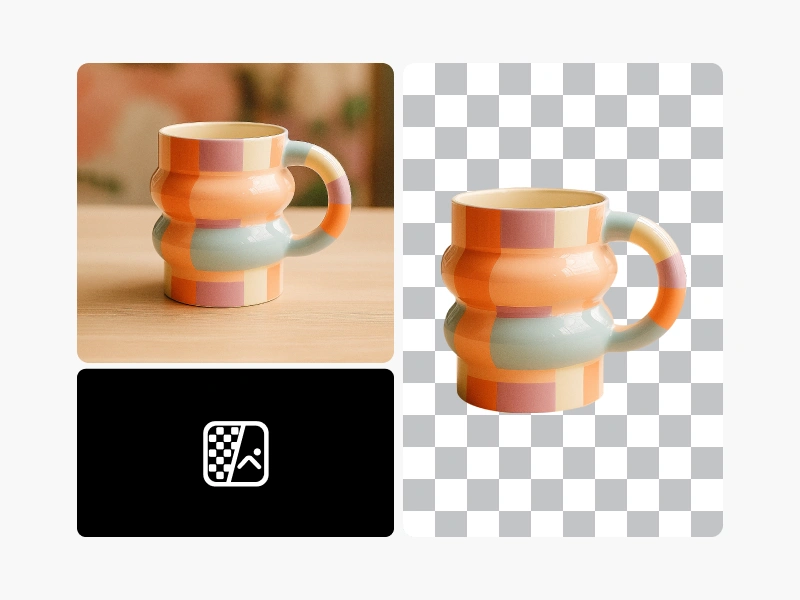
Picsart's AI background remover removes photo backgrounds quickly and precisely, with transparent downloads, background presets and AI-generated backgrounds, batch editing up to 100 photos and apps for web, iOS, Android and Windows.

700 million+ backgrounds removedAI-generated and preset backgroundsBatch editing up to 100 photosApps for web, iOS, Android and Windows
Visit Website

Updated Oct 8, 2026

Pricing Freemium

Rating No reviews yet

Key Features

What’s in the toolkit?

  • 01

    AI background removal

  • 02

    Transparent download

  • 03

    Background presets (textures, gradients, scenes)

  • 04

    AI background generation

  • 05

    Solid and gradient colors

  • 06

    Batch editing (50 on Pro, 100 on Ultra)

  • 07

    Photo and video editor

  • 08

    Templates

  • 09

    Creative APIs and SDKs (Enterprise)

  • 10

    Web, iOS, Android and Windows apps

What is Picsart?

AI-powered background eraser with 700 million+ backgrounds removed

Picsart is a popular creative platform, and its AI Background Remover has removed more than 700 million backgrounds. It analyzes an image's pixels to separate the subject from the background while preserving edges and detail.

Remove and restyle

  • One-click removal with transparent download.
  • Background presets: textures, gradients, photos and themed scenes.
  • AI-generated backgrounds, plus solid and gradient colors.
  • Batch editing of up to 50 photos on Pro and 100 on Ultra.

A complete creative suite

Picsart combines background removal with a full photo and video editor, templates and AI tools, available on web, iOS, Android and Windows, with Creative APIs and SDKs for enterprises. It is a go-to AI background remover for social creators and small businesses.


Pricing
Freemium
Company
PicsArt, Inc.
Platform Access
2 features

Use Cases

Where teams put it to work

  • 01

    Social media posts

  • 02

    Product images

  • 03

    Profile pictures

  • 04

    Marketing creatives

  • 05

    Stickers and collages

Workflow

How to use Picsart?

  1. 01

    Open Picsart's Background Remover on web or app.

  2. 02

    Upload your photo.

  3. 03

    Let the AI remove the background.

  1. 04

    Pick a preset, color or AI background, or keep it transparent.

  2. 05

    Download or continue editing.

Pricing

Pricing for Picsart

Freemium
  • Free: try the background remover for free.
  • Pro – $10.50/month billed yearly: batch editing of up to 50 photos.
  • Ultra – $24.50/month per seat billed yearly: batch of up to 100 photos and 2,000 API credits.
  • Enterprise: custom pricing and credit volume.

Check picsart.com/pricing for current rates.

Who is it for

Who is Picsart for?

Social media creators.Small businesses and sellers.Mobile-first editors.Enterprises using Creative APIs.

Frequently Asked Questions

It uses AI algorithms to analyze an image's pixels, separate the foreground from the background, and remove the background while preserving edges, so you can download a transparent image or replace the background.

Explore More Similar Tools

More tools worth checking out from the same category.

Never Miss a New AI Tool

Subscribe to get the latest AI tools, deals, and resources delivered straight to your inbox — no spam, unsubscribe anytime.





